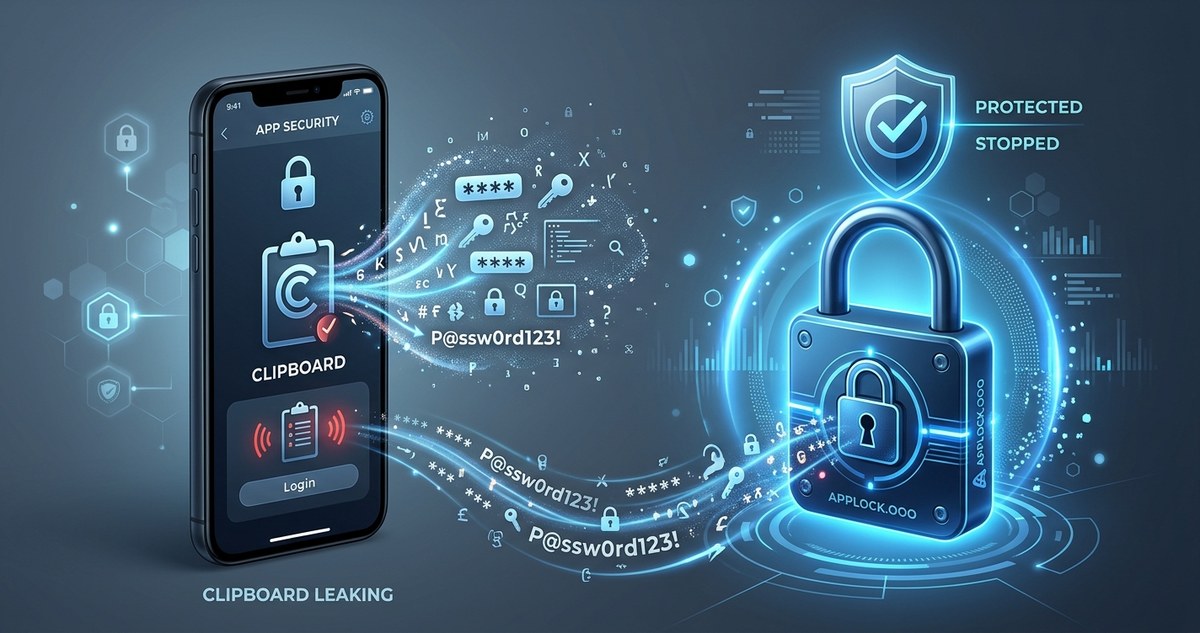
Your phone’s clipboard is a simple tool. You copy a password from your password manager. You paste it into your banking app. Done, right?
Not quite. Between the copy and the paste, that password sits in plain text on your phone’s clipboard. Any app on your device can read it without asking permission. This is not a bug. It is how mobile operating systems work.
If you care about phone clipboard security app passwords, this is a risk you cannot ignore. A game, a flashlight app, or a keyboard with too many permissions can scoop up your copied credentials. The good news is you can stop it.
Your phone’s clipboard stores everything you copy, including app passwords. Any app with clipboard access can steal that data without a warning. To protect yourself, clear your clipboard after each use, disable automatic clipboard sync between devices, use a password manager that offers clipboard clearing, and audit app permissions regularly. These steps stop the leak at the source.
The Clipboard Problem Nobody Talks About
Most people treat the clipboard like a temporary holding area. Copy a password, paste it, move on. But on Android and iOS, the clipboard is a shared resource. Every app running on your device can read it.
Think about that for a second. You open your password manager, copy your bank login, and switch to your browser. While you are in that split second between apps, any other app on your phone can grab that password. It does not need special permissions. It does not need to ask.
Security researchers have shown this for years. In 2026, the threat is bigger because more apps request clipboard access for features like automatic code filling from SMS messages. Many users grant these permissions without a second thought.
How App Passwords End Up in the Wrong Hands
Let us walk through a real scenario.
You use a password manager like Bitwarden or 1Password. You copy your Gmail password to log in. That password now lives on your clipboard. A shopping app you installed last month has a permission called “read clipboard data.” It quietly logs everything you copy. Later, that data gets sent to a server.
This is not a hypothetical. Apps have been caught doing exactly this. The clipboard is a blind spot in mobile security.
Here are the most common ways clipboard data leaks happen:
- Malicious apps with clipboard reading permissions
- Legitimate apps that overreach and collect clipboard data without your knowledge
- Clipboard syncing between devices (copy on your phone, and it appears on your laptop)
- Third party keyboards that log keystrokes and clipboard content
- Clipboard manager apps that store your history in plain text
A Simple Table to Spot the Risks
The table below breaks down common clipboard behaviors and whether they protect your passwords.
| Action | Risk Level | Safe or Not Safe |
|---|---|---|
| Copy password, paste, leave clipboard full | High | Not safe |
| Copy password, paste, clear clipboard immediately | Low | Safe |
| Use clipboard manager app from app store | Medium to High | Not safe |
| Use password manager with auto clear | Low | Safe |
| Sync clipboard between phone and computer | High | Not safe |
| Audit app permissions for clipboard access | Low | Safe |
Step by Step: How to Stop the Leak Today
You do not need to be a security expert to fix this. Follow these steps in order.
-
Clear your clipboard after every paste. On Android, tap the text field and select “Clipboard” then “Delete.” On iOS, copy a dummy piece of text (like a single space) to overwrite your password. This takes two seconds.
-
Turn off clipboard sync between devices. On Android, go to Settings > Google > Devices and turn off clipboard sharing. On iOS, go to Settings > System > Clipboard and disable sync across Apple devices.
-
Audit app permissions for clipboard access. On Android, go to Settings > Privacy > Permission Manager > Clipboard. Revoke access for any app that does not need it. On iOS, check Settings > Privacy > Clipboard and review the list.
-
Use a password manager that clears the clipboard. Many managers now offer a feature that automatically wipes your clipboard after 15 or 30 seconds. Enable this in your app settings.
-
Avoid third party clipboard managers. They store your history, including passwords. If you must use one, choose one that encrypts data locally and does not phone home.
What the Experts Say
“The clipboard is one of the most overlooked attack surfaces on mobile devices. Users treat it as ephemeral, but it is stored in memory and readable by any process. Treat your clipboard like you treat your password vault. Clear it every time.”
— Mobile security researcher at a top university, speaking at a 2025 privacy conference
This advice has not changed. It is still the best defense.
Common Mistakes People Make
Even privacy aware users slip up. Here are the biggest mistakes to avoid.
- Leaving passwords on the clipboard overnight
- Using a third party keyboard that requests clipboard access
- Installing apps from unknown sources that ask for clipboard permission
- Assuming iOS or Android blocks clipboard reads (they do not)
- Forgetting to revoke clipboard access after using a temporary app
Tools and Settings That Help in 2026
Modern phones offer better controls than ever. Use them.
- Android 15’s Clipboard Manager: Lets you see what is on your clipboard and clear it instantly.
- iOS 18’s Privacy Dashboard: Shows which apps have accessed your clipboard in the last 30 days.
- Password manager auto clear: Available in Bitwarden, 1Password, and Apple’s built in password manager.
These tools are not perfect, but they are a massive improvement over doing nothing.
How to Build a Clipboard Safe Habit
You do not need to obsess over this. Just build one habit.
When you copy a password, paste it, and then clear the clipboard immediately. Do it every single time. After a week, it becomes automatic.
If you want extra protection, use a dedicated app lock that monitors clipboard activity. Some security apps now alert you when an app reads your clipboard. This gives you a second layer of defense.
For more detailed guidance on locking down your apps, check out our guide on best practices for locking apps and safeguarding personal data. It covers permissions, biometric locks, and other settings that work alongside clipboard security.
Your Clipboard Is Not a Safe
Your phone clipboard security app passwords are only as safe as your habits. The clipboard was designed for convenience, not secrecy. That is fine for a URL or a phone number. It is not fine for your bank password.
The fix is simple. Clear after each use. Audit your app permissions. Turn off sync. Use a password manager that helps you.
Do those four things, and you close a gap that most people never think about. Your passwords stay where they belong. In your head and in your vault. Not sitting around for any app to grab.