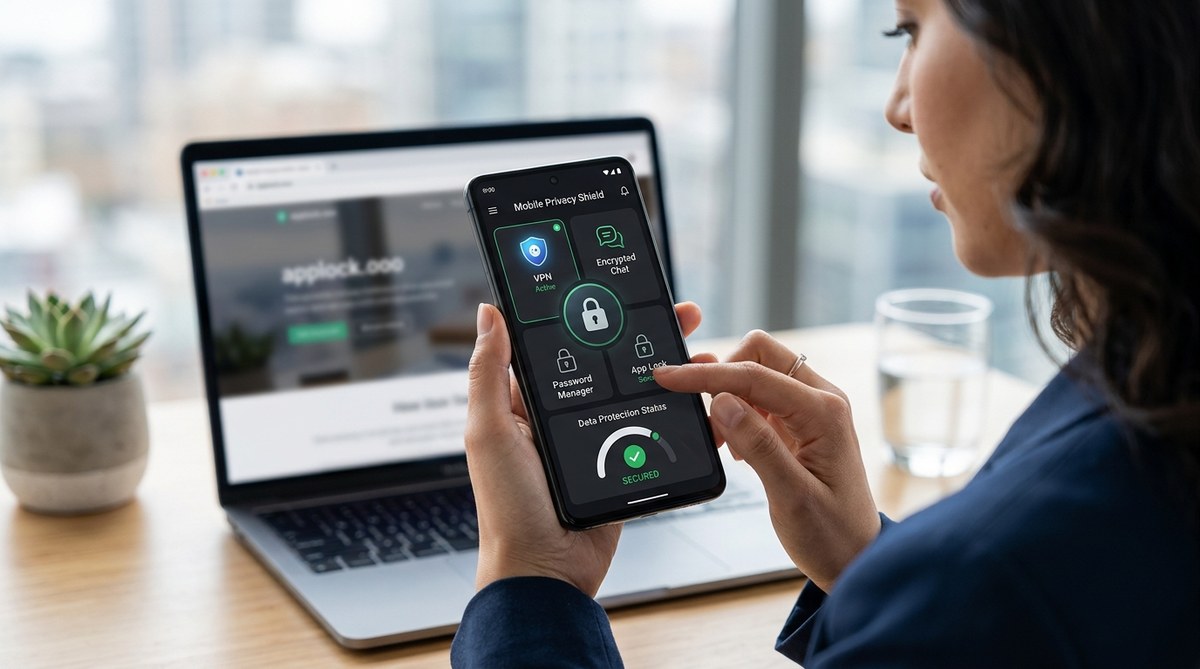
Protecting your mobile device in today’s digital age is more important than ever. With so many apps and services collecting data, it’s vital to use reliable privacy tools that keep your personal information safe. Whether you want to block trackers, encrypt your communications, or hide your online activity, there are effective solutions designed for privacy-conscious users like you. This guide will walk you through the top mobile privacy tools that can help you take control of your digital footprint.
Using the right combination of privacy tools on your mobile device can significantly reduce data leaks, block trackers, and keep your personal life private. Focus on encrypted messaging, VPNs, privacy browsers, and app permissions to boost your mobile security effectively.
Why mobile privacy matters more than ever
Smartphones hold a treasure trove of personal data. From location history and browsing habits to contacts and financial info, your device is a gateway to your life. Without the right protections, malicious actors, advertisers, or even your own apps can access and misuse your data. That’s why deploying top mobile privacy tools is crucial for anyone who values their privacy. They help you control what information leaves your device and how it’s used.
Core techniques for mobile privacy protection
Before diving into specific tools, it’s helpful to understand some common techniques that improve your privacy:
| Technique | What it does | Common mistakes |
|---|---|---|
| Encrypted messaging | Keeps your conversations private | Using outdated apps or unsecured Wi-Fi |
| VPNs | Masks your IP address and encrypts internet traffic | Choosing free VPNs that log data or have weak encryption |
| Privacy browsers | Blocks trackers and prevents fingerprinting | Using default browsers or ignoring privacy settings |
| App permissions management | Limits access to location, camera, microphone | Granting permissions without review or oversight |
| Regular updates | Fixes vulnerabilities | Ignoring software updates |
Expert tip: Always verify that privacy tools you choose use strong encryption standards and have a transparent privacy policy. Your security depends on the tech behind the app.
Top mobile privacy tools you should consider
1. Encrypted messaging apps
Secure communication is essential. Apps like Signal provide end-to-end encryption so that your messages, voice calls, and video chats stay private. Unlike traditional SMS or some popular messaging platforms, Signal does not log your messages or store metadata. Its open-source protocol makes it transparent and trustworthy.
2. Virtual private networks (VPNs)
A good VPN encrypts all your internet traffic and routes it through a server in a different location. This not only protects your data from prying eyes on public Wi-Fi but also helps you browse anonymously. Mullvad and Proton VPN are known for their strong privacy policies and no-log commitments. When choosing a VPN, ensure it offers robust encryption and does not keep activity logs.
3. Privacy-focused browsers
Standard browsers often track your activity across websites. Using privacy browsers like Brave or Firefox Focus can block ads, trackers, and fingerprinting scripts automatically. These browsers also offer features like HTTPS Everywhere and script blocking, giving you better control over your online footprint.
4. App permission managers
Managing app permissions is a simple but powerful way to prevent unnecessary data sharing. On Android, you can review app permissions in Settings and revoke access to location, microphone, or contacts for apps that don’t need them. On iOS, permissions can be controlled via Privacy settings. Regularly auditing these permissions keeps apps from overreaching.
5. Ad and tracker blockers
Apps like Blokada or NextDNS block ads and trackers at the DNS level. These tools prevent third-party trackers from monitoring your activity across apps and websites. They are especially useful when combined with privacy browsers and VPNs.
6. Encrypted email services
For secure email communication, services like Proton Mail or Tutanota offer end-to-end encryption. They keep your messages private and prevent unauthorized access, even if your email provider is targeted.
7. Password managers
Strong, unique passwords are vital. Password managers like Bitwarden or 1Password store your credentials securely and autofill login forms. They also generate complex passwords for you, reducing the risk of breaches.
8. Two-factor authentication apps
Adding an extra layer of security is easy with apps like Authy or Google Authenticator. They generate time-limited codes that protect your accounts from unauthorized access.
9. Regular app and system updates
Keeping your device’s software up to date patches security vulnerabilities. Enable automatic updates whenever possible to stay protected against emerging threats.
Practical steps to boost your mobile privacy
Here is a simple process to start enhancing your privacy today:
- Choose and install a privacy-focused browser and secure messaging app.
- Set up a reputable VPN and activate it whenever you go online.
- Review app permissions and revoke unnecessary access.
- Switch to an encrypted email service for sensitive communications.
- Install a tracker blocker and ad blocker.
- Use a password manager to create and store strong passwords.
- Enable two-factor authentication on important accounts.
- Keep your device’s OS and apps updated regularly.
Simple checklist for privacy upgrades
- [ ] Install Signal for messaging
- [ ] Set up Mullvad or Proton VPN
- [ ] Switch to Brave or Firefox Focus browser
- [ ] Audit app permissions on your device
- [ ] Use Blokada or NextDNS for trackers and ads
- [ ] Create a password vault with Bitwarden
- [ ] Enable 2FA on email and social accounts
- [ ] Keep all software updated
Common pitfalls in mobile privacy and how to avoid them
| Mistake | Why it’s a problem | How to fix it |
|---|---|---|
| Using weak passwords | Easy for hackers to crack | Use a password manager and generate complex passwords |
| Ignoring app permissions | Apps access more data than needed | Regularly review and revoke permissions |
| Connecting to unsecured Wi-Fi | Data can be intercepted | Use a VPN on public Wi-Fi networks |
| Not updating software | Vulnerabilities remain unpatched | Enable automatic updates |
| Relying on free VPNs | They may log your data | Choose reputable VPNs with transparent policies |
Remember: Even the best privacy tools are only effective when used consistently. Make privacy a habit, not a one-time effort.
Protecting your mobile privacy in everyday life
Maintaining privacy requires ongoing vigilance. Always think twice before granting permissions or downloading apps from unofficial sources. Use privacy settings on social media and disable location sharing when not needed. Consider periodically reviewing your digital footprint and deleting unused accounts or data.
Putting privacy first in your mobile routine
Adopting top mobile privacy tools is a smart move for anyone serious about data protection. They give you control over your personal information and make it harder for outsiders to track your activity. Remember, privacy is a journey, not a destination. Regularly update your tools, stay informed about new threats, and adjust your habits accordingly.
Building a private mobile experience that lasts
Small changes can make a big difference. Start by choosing a privacy-focused browser and enabling two-factor authentication on your most sensitive accounts. Use a VPN whenever you’re on public Wi-Fi, and keep your device updated. Over time, these practices become second nature, creating a safer, more private digital environment.
Protecting your mobile device doesn’t have to be complicated. With the right tools and habits, you can enjoy your digital life confidently, knowing your personal data remains under your control. Take these steps today and enjoy the peace of mind that comes with true mobile privacy.