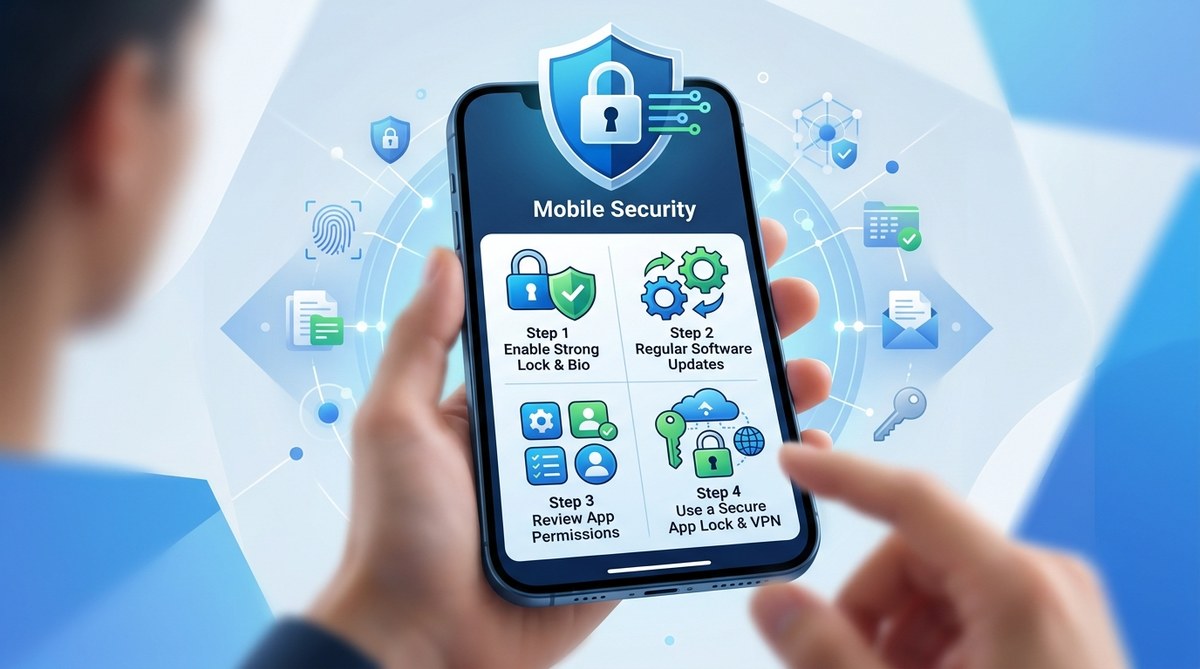
Keeping your smartphone secure is more important than ever. With hackers constantly finding new ways to access personal information, it’s vital to take proactive steps to protect your data. Your mobile device holds everything from banking details to private messages, making it a prime target for cybercriminals. Fortunately, you don’t need to be a tech expert to significantly improve your mobile privacy. Simple habits and smart security measures can make a big difference.
Implementing basic privacy practices on your mobile device can greatly reduce your risk of data breaches. Use strong passwords, keep software updated, limit app permissions, and stay cautious with public WiFi to keep your personal information safe from hackers and online threats.
Why mobile privacy should be a top priority
Your smartphone is more than just a device for calls and messages. It is your personal hub for banking, shopping, social media, and work-related activities. Each app you install and every website you visit can potentially expose sensitive data. Without proper protection, hackers can exploit vulnerabilities to access your accounts, steal identities, or introduce malware. Practicing good mobile privacy habits helps you stay in control of your information and reduce the chances of falling victim to scams.
Practical steps to strengthen your mobile privacy
- Use strong, unique passwords for your device and apps
Creating complex passwords is your first line of defense. Avoid using common passwords like “1234” or “password.” Instead, opt for a mix of letters, numbers, and symbols. It’s best to use a password manager to generate and store these securely. Make sure each account has its own password so that if one gets compromised, others remain safe. Enable biometric authentication like fingerprint or facial recognition where available for added security.
- Keep your device and apps updated regularly
Developers release updates to fix security flaws and improve functionality. Ignoring these updates leaves your device vulnerable. Set your phone to automatically install updates when available. This applies to both the operating system and individual apps. Staying current ensures you benefit from the latest security patches and features designed to protect your data.
- Be cautious with app permissions
Many apps request access to data that isn’t necessary for their core function. For example, a weather app might ask for access to your camera or contacts. Always review permissions before installing or updating apps. Deny any that seem unnecessary. You can also revoke permissions later through your device settings. Limiting access minimizes the risk of apps collecting or leaking personal information.
- Avoid public WiFi or use a VPN
Public WiFi networks are convenient but often insecure. Hackers can easily intercept data transmitted over open networks. If you need to use public WiFi, connect through a trusted virtual private network (VPN). A VPN encrypts your internet traffic, making it much harder for cybercriminals to access your information. When possible, use cellular data for sensitive activities like banking or shopping online.
- Enable remote wipe and device tracking
Set up your device to allow remote locking or wiping if it gets lost or stolen. Most smartphones have built-in features like Find My iPhone or Find My Device. These tools let you locate, lock, or erase your data remotely. Activating these features provides peace of mind and prevents unauthorized access to your personal information.
- Limit app permissions and disable unnecessary features
Regularly review app permissions in your device settings. Remove access to your location, camera, microphone, or contacts for apps that don’t need them. Additionally, turn off Bluetooth, NFC, or WiFi when not in use to prevent unauthorized connections. Small adjustments like these reduce the attack surface of your device.
- Be mindful of personal data sharing on social media
Avoid posting sensitive information such as your home address, phone number, or travel plans publicly. Cybercriminals often gather personal details from social media profiles to craft targeted scams. Keep your profiles private and be cautious about the information you share.
- Use security apps and antivirus software
Install reputable security apps that offer malware scanning, app privacy analysis, and anti-theft features. These tools can alert you to suspicious activity or malicious apps. Regular scans help you identify vulnerabilities before they become serious problems.
- Regularly back up your data
Create backups of your important files, photos, and contacts regularly. Use cloud services or external storage options. In case of theft or malware attack, having a recent backup ensures you don’t lose valuable information and can restore your device quickly.
Techniques versus common mistakes table
| Techniques | Mistakes to avoid |
|---|---|
| Using strong, unique passwords | Reusing passwords across multiple accounts |
| Keeping software and apps updated | Ignoring security updates |
| Reviewing app permissions | Granting unnecessary permissions |
| Connecting through a VPN on public WiFi | Using unsecured public WiFi without protection |
| Activating remote wipe and device tracking | Not setting up device location or wipe features |
| Limiting app permissions and disabling unused features | Leaving Bluetooth or WiFi on in insecure areas |
| Sharing minimal personal data on social media | Posting sensitive info publicly |
| Installing security and antivirus apps | Relying solely on device built-in security |
| Regularly backing up data | Failing to back up important information |
Expert advice on safeguarding your mobile privacy
“Taking control of your mobile privacy is about more than just a few settings. It’s a mindset that involves regularly reviewing your habits and staying informed about new threats.” — cybersecurity expert Lisa Chen
The importance of staying vigilant
Mobile privacy is a continuous effort. As technology evolves, so do the tactics of cybercriminals. Regularly updating your security practices, being cautious about what you share, and using the right tools keep your data safe. Remember, protecting your device is not a one-time task but an ongoing process.
Keep your digital life secure and stress-free
Applying these simple mobile privacy tips can significantly reduce your vulnerability to hacking and data theft. Start today by reviewing your device’s security settings, creating strong passwords, and staying alert to suspicious activity. Your personal data deserves the same level of protection as your physical valuables. Small, consistent steps offer the best defense against online threats.
A final word on mobile privacy
By adopting these practical habits, you empower yourself to enjoy your smartphone without constant worry about security breaches. Keep your device updated, be mindful of permissions, and use protective tools to stay ahead of cyber threats. Your personal information is valuable. Protect it wisely and confidently.