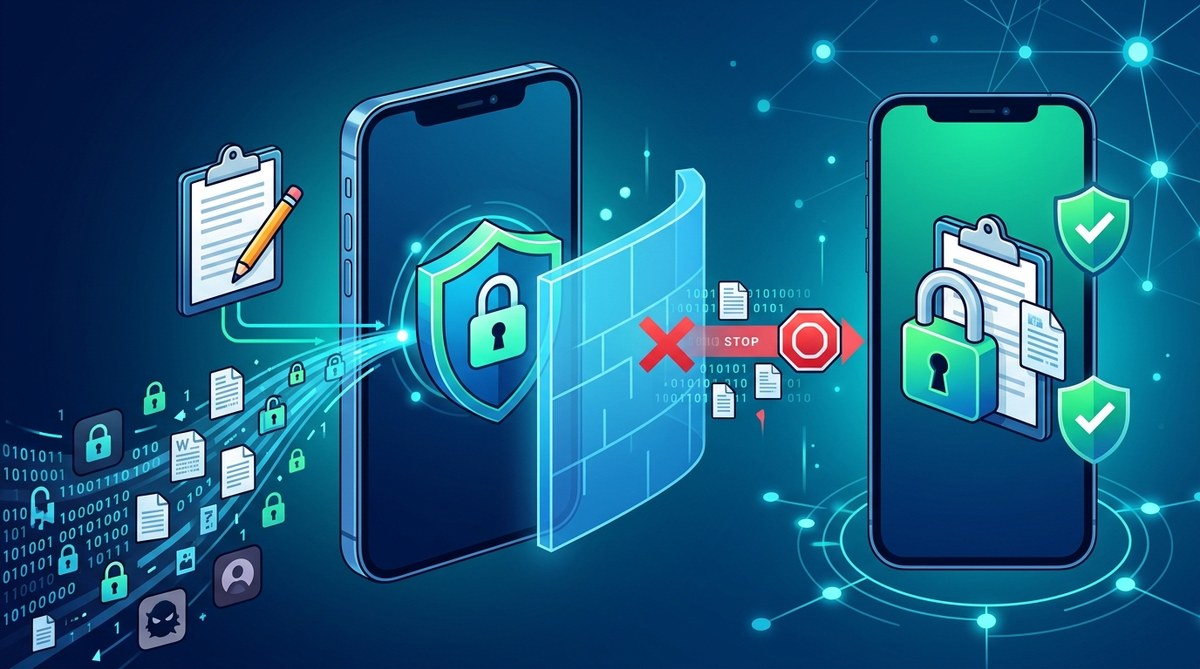
Your phone’s clipboard is a silent vault that most people never think about. Every time you copy a password, a bank account number, an address, or a one-time login code, that text sits in a shared memory area waiting to be pasted. While you go about your day, any app on your device can quietly peek at that data without you knowing. This is called clipboard snooping, and it is more common than most people realize. Some apps read the clipboard in the background, harvest what they find, and send it to advertising networks or data brokers. The good news? You can stop it. This guide shows you exactly how apps read your clipboard, why they do it, and the practical steps you can take to lock this data down starting today.
Apps can read your clipboard silently, and passwords, addresses, and financial details often sit there for hours. This guide explains how clipboard snooping works on Android and iOS, which apps are known offenders, and how to block access. You will learn practical steps like using app lock tools, clearing clipboard history, and tightening permissions to stop apps reading clipboard security threats.
Apps Reading Clipboard Security: How to Block Hidden Data Leaks on Your Phone
Your phone’s clipboard is a tiny, invisible bridge. You copy a password, a bank account number, or a home address, and for a few seconds that data sits in a shared memory space. Most people assume that is fine. Most people are wrong.
Apps reading clipboard security is a real threat. Some apps quietly scan your clipboard the moment you copy something sensitive. They do this without asking, without a popup, and often without any obvious permission prompt. The data they grab can include passwords, recovery phrases, credit card numbers, or private messages. This article explains how clipboard snooping works, why it matters, and exactly how to stop it.
Your clipboard is a silent data leak. Apps can read whatever you copy, including passwords, addresses, and financial details, often without a clear reason. Both Android and iOS now show alerts when this happens, but you cannot rely on warnings alone. Use password managers, block clipboard access in settings, and clear your clipboard history regularly. These steps cut the risk dramatically.
Why Apps Want Your Clipboard in the First Place
Clipboard data is a goldmine. Every time you copy a password, a bank account number, an address, or a one time code, that text sits in a shared system buffer. Any app with clipboard access can read it. Most apps do not need that access to function. But many still take it.
Why? Some apps grab clipboard content for targeted ads. Others use it for analytics. A few are outright malicious and look for crypto wallet addresses or login tokens. This is why apps reading clipboard security has become a hot topic for anyone who cares about their digital privacy.
The good news? You can stop it. You do not need to be a security expert. You just need to know where the risk lives and how to lock it down.
Why Apps Read Your Clipboard in the First Place
Apps read the clipboard for many reasons. Some are harmless. Some are not.
Legitimate apps may read the clipboard to make pasting easier. A note app might detect a copied URL and offer to open it. A translation app might auto-detect copied text. Those are helpful.
But not every app is so honest. Some apps grab clipboard data to build advertising profiles, track your behavior, or steal passwords and crypto wallet addresses. This is the darker side of clipboard access, and it happens more often than most people realize.
Clipboard content is sensitive by nature. Every time you copy a password, a bank account number, or a recovery phrase, that text sits in a shared system buffer. Any app with clipboard access can read it. Most users never know.
The good news? You can stop it. This guide explains how apps read your clipboard, why it matters, and what you can do today to lock it down.
Apps can quietly read your clipboard and steal passwords, addresses, and payment details without any obvious sign. The risk is real on both Android and iOS, but you can stop it. Learn which settings to change, which permissions to revoke, and which habits to build today to lock down this overlooked data leak.
Why Apps Read Your Clipboard
Clipboard snooping is not a new trick. It has been around for years. Security researchers have flagged apps that copy text the moment you copy it. Some apps scan for crypto wallet addresses. Others look for passwords or credit card numbers. The data is then sent to a remote server, often without your knowledge.
This is what people mean when they talk about apps reading clipboard security. It is not a myth. It is a documented behavior that has appeared in popular apps across both Android and iOS.
Your clipboard is a tiny, invisible bridge. You copy a password, a bank account number, or a one-time code. That data sits in system memory, waiting for you to paste it somewhere. Any app with clipboard access can read it. And many apps have that access without you realizing what it means.
The good news? You can stop most of this behavior today. This guide walks through the exact steps, settings, and habits that keep your copied data out of prying eyes.
Apps can silently read your clipboard the moment you copy a password, address, or payment link. Both Android and iOS have built-in alerts and permission controls, but most users never turn them on. This guide shows you how to stop apps reading clipboard security risks, lock down permissions, and build safer copy-paste habits.
What Does It Mean When an App Reads Your Clipboard?
Your clipboard is a tiny slice of shared memory. It holds whatever you last copied. That could be a password, a bank account number, a crypto address, or a private message. When you copy something, any app with clipboard access can read it without asking again.
On Android, this happens silently in the background. On iOS, you get a banner notification when an app pastes from your clipboard, but many users miss it. Either way, the risk is real. Apps reading clipboard security is a growing concern because the clipboard was never designed to be a secure vault. It is a temporary holding area, and most operating systems treat it that way.
Some apps read the clipboard for legitimate reasons, like a note app that offers a paste shortcut. Others do it for data collection. They grab copied links, passwords, addresses, or payment details. That information can be used for ad targeting, account takeover attempts, or sold to data brokers.
Why Apps Read Your Clipboard Without Asking
Mobile operating systems have tightened clipboard access over the years. But apps still find ways to read what you copy. On Android, any app with clipboard access can read your most recent copy. On iOS, the system alerts you when an app reads your clipboard, but many people ignore those popups.
Clipboard data is a goldmine. Passwords, recovery phrases, bank account numbers, addresses, and one-time codes often pass through it. When an app reads that data, it can harvest sensitive details without you knowing.
The most common reasons apps read the clipboard:
- Tracking and advertising: Some SDKs inside apps scan clipboard text to build user profiles.
- Password theft: Malicious apps look for copied passwords or crypto wallet addresses.
- Session hijacking: Stolen tokens or URLs can grant access to your accounts.
- Data enrichment: Apps combine clipboard data with other signals to improve ad targeting.
- Malicious behavior: Some apps simply collect everything they can and sell it.
What Does “Apps Reading Clipboard Security” Actually Mean?
When an app reads your clipboard, it accesses whatever text you last copied. That could be a password, a bank account number, a crypto wallet address, or a personal message. Most apps don’t need this access. Yet some apps quietly read the clipboard in the background, often without a clear reason.
This is a real privacy issue. It is not just a theoretical risk. Security researchers have repeatedly found popular apps reading clipboard data without user knowledge. The iOS and Android systems have tightened permissions, but the threat is still there.
Clipboard data is sensitive. You copy a password from your password manager, then switch to your banking app. A malicious app running in the background could read that copied text. That is how apps reading clipboard security becomes a serious problem.
Why Do Apps Read the Clipboard?
Apps read the clipboard for different reasons. Some do it for convenience. For example, a password manager needs to see what you copied so it can offer to save it. A translation app might read copied text to offer an instant translation.
Others are less innocent. Marketing SDKs and analytics libraries embedded in apps can access clipboard data to build profiles or serve targeted ads. In the worst cases, malicious apps harvest copied passwords, crypto wallet addresses, or two-factor authentication codes.
The operating system usually does not warn you when an app reads the clipboard. On many Android versions, any app can access the clipboard without a visible prompt. iOS added a notification banner in iOS 14, but not every Android device shows that warning. That means apps reading clipboard security is a real concern, not a conspiracy theory.
What Apps Reading Clipboard Security Means for You
When an app reads your clipboard, it can see whatever you last copied. That might be a password, a bank account number, a private message, or a crypto wallet address. This is called clipboard snooping, and it happens more often than most people realize.
The clipboard is a shared system resource. On Android, any app with the right permission can read it. On iOS, the system warns you when an app reads your clipboard, but the warning only appears after the fact. By then, the data is already in the app’s memory.
That is why apps reading clipboard security is such an important topic. Your clipboard is a silent vault of sensitive information, and many apps treat it like an open book.
Why Apps Read Your Clipboard in the First Place
Apps do not grab your clipboard by accident. Some do it for convenience. Others do it for profit.
Legitimate Reasons
Some apps read the clipboard for useful features. Password managers copy a code, then paste it into another app. Photo editors grab copied images. Translation apps read copied text to offer instant translation. These are normal uses.
The Problem: Data Harvesting
The issue starts when apps read the clipboard without a clear reason. Some apps scan clipboard contents to build user profiles. They look for copied links, email addresses, phone numbers, or financial details. This data helps them target ads or sell to data brokers.
On Android, any app with clipboard access can read whatever you last copied. On iOS, the system warns you when an app reads your clipboard, but it still allows it. This means a simple copy of a password or a bank account number can end up in the hands of an app you barely use.
The threat is real. Security researchers have found popular apps reading clipboard data on both Android and iOS. Some apps grab copied links, while others capture sensitive text without clear consent. The good news? You can stop most of this behavior.
What Does “Apps Reading Clipboard Security” Actually Mean?
Clipboard snooping happens when an app silently reads whatever you last copied. That could be a password, a crypto wallet address, an email, or a one-time code. On Android, older versions allowed any app with clipboard access to read this data without asking. On iOS, apps triggered the system clipboard notification, but many still found ways to grab content.
The concern is simple: your clipboard holds secrets. When apps read it without permission, they can collect sensitive data you never meant to share.
Why Apps Read Your Clipboard
Apps do not peek at your clipboard for no reason. Some do it to offer convenience, like a password manager that suggests autofill. Others do it for tracking or advertising. A few do it because they are poorly coded and accidentally capture clipboard data.
Common reasons include:
- Auto-detecting copied links or coupon codes.
- Building user profiles from pasted text.
- Enabling “smart paste” features.
- Collecting data for ad targeting.
- Syncing clipboard content across devices (often without clear consent).
The problem? Most apps do not need clipboard access to function. When an app reads your clipboard without a clear user action, that is a privacy red flag.
Why Apps Read Your Clipboard Without Asking
Apps read the clipboard for many reasons. Some are harmless. Some are invasive. The tricky part is telling the difference.
Legitimate Clipboard Use
Some apps need clipboard access to work properly. Password managers read the clipboard so they can auto fill a login. Photo editors read it so you can paste an image. Translation apps read it so they can translate copied text. These uses are reasonable because they happen when you ask for them.
Snooping and Data Harvesting
Other apps read the clipboard for less honest reasons. They grab whatever you copied, including passwords, addresses, crypto wallet keys, and one-time codes. Then they send that data to third party servers. This is the core of apps reading clipboard security risks.
A famous example happened in 2020. iOS 14 introduced a clipboard notification banner. Suddenly, users saw apps like TikTok reading their clipboard in the background. TikTok said it was an anti-spam measure, but the damage to trust was done. That moment put clipboard snooping in the spotlight.
Why Apps Read Your Clipboard Without Asking
Apps read the clipboard for many reasons. Some are legitimate. Most are not.
Legitimate uses include:
– Detecting pasted URLs to auto-shorten them.
– Recognizing copied phone numbers to offer call actions.
– Filling in verification codes from text messages.
– Improving search suggestions after a copy.
But many apps read the clipboard for tracking, ad profiling, or data harvesting. They grab whatever you copied last. That could be a password, a bank account number, a private message, or a crypto wallet address.
How Clipboard Access Works on Mobile
Mobile operating systems treat the clipboard as a shared resource. Any app can read it if the platform allows broad access. On Android, older versions let any app read the clipboard without asking. On iOS, apps show a banner when they paste from the clipboard, but they can still read it silently in many cases.
The danger is real. A 2020 iOS privacy update exposed dozens of popular apps reading the clipboard without user awareness. That trend has not disappeared. In 2026, clipboard snooping remains one of the least discussed mobile privacy risks.
Why Apps Read Your Clipboard
Apps read your clipboard for many reasons. Some are harmless. Some are not.
Legitimate reasons:
- Password managers need to detect copied passwords so they can offer to save them.
- Translation apps may read copied text to offer instant translation.
- Banking apps check for copied account numbers to streamline transfers.
- Note-taking apps may offer to paste copied links or text.
Not so legitimate reasons:
- Advertisers harvest text to build behavioral profiles.
- Analytics frameworks grab whatever is on the clipboard to track user intent.
- Malicious apps look for crypto wallet addresses, passwords, or personal identifiers.
- Data brokers use clipboard data to enrich profiles sold to third parties.
The problem is that most apps do not need clipboard access at all. When they take it anyway, they put your private data at risk. This guide covers how apps read your clipboard, why it matters, and what you can do to stop it.
What Does “Apps Reading Clipboard Security” Really Mean?
Every time you copy something, your phone stores it in a temporary storage area called the clipboard. This is how copy and paste works. But the clipboard is not a private vault. It is a shared, system level buffer. Any app on your device can read it if the operating system allows that permission.
On Android, older versions gave apps nearly free access to the clipboard. Any app could read whatever you copied, whenever it wanted. That included passwords, addresses, credit card numbers, and one time codes. On iOS, Apple added a system alert in iOS 14 that tells you when an app reads your clipboard. That update exposed many popular apps that were quietly copying clipboard contents in the background.
The core issue is simple. When you copy something, it sits in a shared system space. Apps can read that space. Some apps do it for legitimate reasons, like a password manager detecting a username field. Others do it for tracking, advertising, or worse. The problem is that you usually cannot tell which is which.
This guide covers what apps reading clipboard security means in practice, how to spot the signs, and the exact steps you can take to stop it.
What Does “Apps Reading Clipboard Security” Mean?
Clipboard snooping happens when an app reads the text you last copied without you asking it to. That could be a password, a bank account number, a crypto wallet address, or a private message. The app then sends that data to its own servers, often without your knowledge.
The technical term is clipboard hijacking or clipboard monitoring. It has been a known issue for years, but it gained attention when Apple’s iOS 14 started showing notifications whenever an app accessed the clipboard. Suddenly, people saw apps reading their copied content in real time.
This matters because your clipboard is a temporary storage bin for everything you copy. And most people copy far more sensitive things than they realize: passwords, addresses, credit card numbers, medical details, even private chat messages. When an app reads that data without permission, it is a serious privacy breach.
Why Apps Read Your Clipboard
Apps do not read your clipboard by accident. Some do it for convenience features, like detecting pasted links or auto-filling forms. Others do it for tracking and advertising. A small number of apps have been caught sending clipboard content to remote servers.
Clipboard data is a goldmine. It often contains tokens, one-time passwords, wallet addresses, and other credentials. Malicious apps can harvest this data silently in the background while you do something else.
How Clipboard Access Works on Android
Android apps need a special permission to read the clipboard. On older Android versions, any app with this permission could read your clipboard any time it ran in the background. Android 10 and later limit background clipboard access. Android 12 and later show a toast notification whenever an app reads the clipboard. That helps, but it does not stop every app from grabbing the text you copy.
How Clipboard Access Works on iOS
iOS uses a similar approach. When an app reads your clipboard, the system shows a banner: “[App Name] pasted from [Your Other App].” That banner appears only when the system detects an automatic read. But many users miss these banners. And some apps read the clipboard in ways that do not always trigger the visible prompt, especially older iOS versions.
The core issue is simple: your clipboard holds sensitive data, and apps can read it without asking. This guide covers what that means, why it happens, and the practical steps you can take to lock it down.
Why Apps Read Your Clipboard
Apps read the clipboard for many reasons. Some are helpful. Some are creepy. Some are outright malicious.
Legitimate Reasons Apps Access the Clipboard
- Password managers need to paste credentials when you tap “fill.”
- Image editors read copied photos when you select “paste.”
- Note apps import copied text when you choose to paste.
- Translation tools grab copied text to offer instant translations.
- Messaging apps let you paste content from other apps.
These uses are fine. The problem starts when apps read the clipboard without a clear reason, or when they do it in the background while you are doing something else.
The Problem With Clipboard Snooping
Clipboard snooping happens when an app reads your copied content without asking. This can include passwords, credit card numbers, addresses, private messages, and one-time codes. On both Android and iOS, apps can access the system clipboard. On Android, any app with the right permissions can read the clipboard at any time. On iOS, apps trigger a system alert when they read it, but many users ignore those popups.
The real issue is that you cannot tell why an app wants your clipboard. It might be a keyboard app suggesting a paste. It could also be a data collector building a profile on you. The clipboard is a silent vault, and many apps are testing the lock.
This article explains how apps read your clipboard, why it matters, and the exact steps you can take to stop them. You will learn practical settings, habits, and tools to keep your copied data private. No fluff, no scare tactics, just clear guidance.
Your clipboard is a silent data leak. Apps can read it without you noticing, and they often grab passwords, addresses, and financial details. The fix is a mix of system settings, careful app habits, and a privacy focused lock app. You can stop clipboard snooping today by limiting permissions, clearing your clipboard history, and using trusted security tools. Small changes make a big difference.
Why Apps Read Your Clipboard Without Asking
Your phone’s clipboard is like a shared mailbox. Every app on your device can peek inside it, whether you want them to or not. This is not a rare bug. It is a common privacy issue that security researchers keep finding in popular apps.
When you copy a password, a bank account number, or a personal message, that text sits in a system-wide buffer. On both Android and iOS, apps can access that buffer without your permission in many cases. This is what we call apps reading clipboard security. It sounds technical, but it simply means your copied data may be visible to other apps.
The good news? You can block it. This guide shows you exactly how.
Your clipboard holds passwords, addresses, and payment details without you realizing it. Apps can read that data in the background, often without asking. The fix is a mix of OS settings, safer copy habits, and a dedicated app lock tool. You can stop clipboard snooping today.
Why Your Clipboard Is a Magnet for Snooping Apps
Your clipboard is a tiny piece of digital memory. You copy a password, a bank account number, or a recovery phrase, and it sits there waiting. Most people never think about it again.
Attackers and data hungry apps do.
Clipboard snooping is one of the least talked about privacy risks on smartphones. Apps can read your clipboard in the background without you noticing. They can see passwords you copied, links you saved, addresses, credit card numbers, even private messages you copied to paste elsewhere.
The good news? You can stop most of this. This guide shows you how apps read your clipboard, why they do it, and the exact steps you can take to block them. No tech degree required.
Apps reading clipboard security is a real risk on both Android and iOS. Your clipboard often holds passwords, addresses, and payment details. You can stop most clipboard snooping by checking app permissions, using a clipboard manager with privacy controls, and clearing your clipboard history regularly. On Android, a clipboard access notification is your first clue. On iPhone, the paste banner tells you when an app reads copied text. Stay alert and lock down your apps.
What Does “Apps Reading Clipboard Security” Actually Mean?
Your smartphone clipboard is a tiny holding area. It stores whatever you last copied. That could be a password, a bank account number, a crypto wallet address, or a private message. When you copy something, the content sits in the clipboard until you copy something else or restart your device.
Most people assume the clipboard is private. It is not.
Apps can read it. Some apps read it automatically in the background. This is called clipboard snooping, and it has been a known issue since at least 2020, when iOS started warning users about apps accessing their clipboard. On Android, the situation is similar, with many apps pulling clipboard data without clear disclosure.
If you are privacy conscious, this matters. Your clipboard is a tiny memory bank. It holds whatever you last copied. That might be a password, a bank account number, a crypto wallet address, a personal message, or a URL tied to your identity. When an app reads your clipboard, it can collect that sensitive data without you noticing.
This guide explains how apps read your clipboard, why they do it, and the practical steps you can take to lock this data down. You do not need to be a security expert to follow along.
Apps can read your clipboard whenever they are open, and some do it without a clear reason. That copied password, address, or payment link sits in plain text, waiting for any app to grab it. The fix is a mix of system settings, safer copy habits, and a dedicated app lock tool that blocks clipboard access at the source. You can stop most clipboard snooping in under ten minutes.
What Does “Apps Reading Clipboard Security” Actually Mean?
When you copy a password, a bank account number, or a two factor code, that text lands on your clipboard. It is a tiny storage area managed by your operating system. Many apps can read it without asking. This is called clipboard snooping.
Apps reading clipboard security is a real concern. Every time you copy and paste, you leave a trace. Some apps read that trace silently in the background. They may collect URLs, email addresses, phone numbers, or even passwords you copied moments earlier.
The problem became widely known in 2020 when iOS started showing alerts for apps that accessed the clipboard. Since then, both Android and iOS have added warnings. But those warnings only tell you after the fact. They do not stop the app from peeking.
This guide walks through how apps read your clipboard, why it happens, and the practical steps you can take to block it. No scare tactics, just clear actions you can apply today.
Apps can read your clipboard without asking, and that puts passwords, addresses, and payment details at risk. The fix is a mix of system settings, safer copy habits, and a dedicated clipboard guard. On Android, use a security app like AppLock to block clipboard access. On iPhone, rely on paste notifications and review app permissions. No single step is perfect, but combining them closes nearly every leak.
Why Clipboard Snooping Is More Common Than You Think
Your clipboard holds everything you copy. Passwords. Addresses. Credit card numbers. Two factor codes. Private messages. It is a tiny, invisible buffer that apps can read without you noticing.
Many popular apps have been caught reading the clipboard without permission. They scan it the moment you copy anything. This happens on both Android and iOS. The scary part is that most people never know it is happening.
Clipboard access is not new. It has existed for decades. But mobile apps turned it into a privacy risk. Some apps read your clipboard to guess what you are doing. Others may collect copied text and send it to third party trackers.
This article explains how apps read your clipboard, why they do it, and what you can do to stop it. You will get clear steps for both iPhone and Android. You will also learn which tools actually help and which ones just add noise.
Clipboard snooping is real, but it is not random. Apps read your clipboard to track activity, serve ads, or steal passwords and crypto addresses. You can stop most of it by checking app permissions, using a dedicated app lock, turning off clipboard notifications, and switching to a password manager. The goal is to make your clipboard boring to prying eyes, and these simple steps do exactly that.
What Does “Apps Reading Clipboard” Actually Mean?
Your phone’s clipboard is a tiny holding area. When you copy a password, an address, or a bank number, it sits there waiting to be pasted. Most apps can read that data without asking. That is the core of the apps reading clipboard security problem.
On Android, any app with clipboard access can read whatever you last copied. On iOS, apps trigger a system notification when they read the clipboard, but they can still do it. The risk is simple: if an app reads your clipboard, it can collect passwords, addresses, one-time codes, or financial details you copied moments earlier.
This is not a niche issue. In 2020, iOS 14 started showing a banner whenever an app read the clipboard. The result was a wave of reports showing popular apps silently grabbing clipboard content. TikTok, for example, was caught reading clipboard text on every app launch. That behavior is why apps reading clipboard security became a mainstream concern.
What Does It Mean When an App Reads Your Clipboard?
Your clipboard is a temporary storage area. When you copy a password, a bank account number, or a personal message, it sits there. Any app on your phone can request to read that data. On many devices, apps do not need a special permission to access the clipboard. They can read it whenever they want.
This is not a myth. Security researchers have demonstrated that apps can silently read your clipboard in the background while you use other apps. Some do it for legitimate reasons, like detecting pasted links. Others do it for tracking, advertising, or worse.
The concern is real. Clipboard data often contains passwords, addresses, payment details, and private messages. When an app reads that data, it may send it to a remote server without your knowledge.
What Does “Apps Reading Clipboard Security” Mean?
Clipboard snooping happens when an app reads the text you copied without your permission. This can include passwords, credit card numbers, URLs, or personal notes. On both Android and iOS, apps can access the clipboard. The difference is how much the operating system protects it.
iOS shows a banner whenever an app reads your clipboard. Android does not show a banner, but it logs clipboard access in the notification shade for recent versions. Still, most users never notice these alerts. The damage can happen in a single moment.
Malware and poorly coded apps can copy whatever you last copied. If that text is a password, a bank account number, or a crypto wallet address, the app now has that data. Some apps send it to remote servers for advertising or analytics. Worse, malicious apps can use it for credential theft.
This guide covers how apps read your clipboard, why they do it, and how to block them on both Android and iPhone.
Apps can read your clipboard without you noticing, and they often grab passwords, addresses, and payment links. The risk is real but manageable. You can block most clipboard snooping by tightening app permissions, using a dedicated clipboard manager, avoiding sketchy apps, and turning on iOS or Android clipboard alerts. Review your app permissions today and start protecting sensitive copied data right now.
Why Apps Read Your Clipboard
Your clipboard is a small digital holding area. You copy a password, a link, or a bank number, and it sits there until you paste it somewhere. Most people assume that data stays private. It does not.
Apps can read the clipboard without you noticing. On both Android and iOS, background processes can access whatever you copied last. Some apps do this to make features work. Others do it for less honest reasons.
The result is a silent data leak. Your passwords, addresses, and one-time codes can end up in the hands of app developers, ad networks, or worse.
What Does “Apps Reading Clipboard Security” Actually Mean?
When people search for apps reading clipboard security, they usually want to know two things. First, can apps see what I copy? Second, how do I stop it?
The short answer is yes. Many apps can read your clipboard. On Android, older versions allowed any app to read the clipboard without asking. On iOS, Apple added alerts in iOS 14 to tell you when an app reads your clipboard. That update exposed many popular apps that were quietly copying clipboard contents.
The clipboard is a shared resource. It is not private. Any app with the right permissions can read it. This includes password managers, banking apps, shopping apps, keyboards, and even games. When you copy a password, a bank account number, or a crypto wallet address, that text sits in a system buffer. Other apps can access that buffer if the operating system allows it.
The danger is real. Malware and aggressive ad trackers harvest clipboard data to steal credentials, hijack crypto addresses, or build invasive user profiles. Privacy-conscious users need practical defenses.
This guide covers how apps read your clipboard, the risks, and the exact steps to block them. It also covers how an app lock can reduce the damage if your clipboard is compromised.
Why Apps Read Your Clipboard in the First Place
Apps read the clipboard for many reasons. Some are legitimate. Some are not.
A password manager may read your clipboard to auto fill a login form. A note app may grab copied text so you can paste it into a new note. These are normal functions.
But some developers use clipboard access for data collection. They track what you copy. They harvest passwords, addresses, URLs, and payment details. Then they send that data to their servers for advertising profiles, analytics, or worse.
The problem got attention in 2020 when Apple’s iOS 14 started showing a banner whenever an app accessed the clipboard. Suddenly, users saw apps like TikTok reading their clipboard content in the background. The practice was already widespread on Android, where clipboard access is less restricted.
Clipboard snooping is not a niche issue. It affects millions of people who copy passwords, credit card numbers, recovery phrases, and personal messages every day.
Why Apps Read Your Clipboard
Apps read the clipboard for many reasons. Some are legitimate. For example, a password manager needs clipboard access to paste credentials into login forms. A photo editor may read copied image data.
But many apps do it for tracking and advertising. They look for text that might contain email addresses, URLs, or other identifiers. Then they send that data to third parties without your consent.
The problem became widely known in 2020 when iOS 14 started showing a notification whenever an app accessed the clipboard. Suddenly, users saw apps like TikTok reading their clipboard content in the background. The practice is more common than you might think.
Clipboard data can include:
– Passwords copied from a password manager
– Bank account numbers
– Cryptocurrency wallet addresses
– Personal messages
– URLs with login tokens
– Email addresses and phone numbers
When an app reads your clipboard without permission, it can collect this sensitive information and send it to advertisers, analytics companies, or worse.
Why Apps Read Your Clipboard
Apps read the clipboard for many reasons. Some are legitimate. Many are not.
A password manager reads the clipboard when you tap “paste.” A note app may scan it to suggest a new note. These are reasonable uses.
But many apps read clipboard data without a clear reason. They do it to build profiles, target ads, or harvest credentials. The iOS 14 clipboard notification feature exposed this behavior in 2020. Apps like TikTok were caught reading clipboard content on every keystroke. That discovery changed how people think about clipboard privacy.
Your clipboard is a treasure chest. It can contain passwords, addresses, credit card numbers, one time codes, and private messages. When an app reads it without your knowledge, that data leaves your control.
Why Apps Read Your Clipboard
Apps read the clipboard for many reasons. Some are innocent. Some are not.
Legitimate uses include:
- Password managers that auto fill login fields.
- Translation apps that detect copied text.
- Image editors that import copied screenshots.
- Banking apps that read copied account numbers for transfers.
But many apps read the clipboard for data collection. They want to know what you copy. They build a profile from your copied links, emails, and phone numbers. That data can be sold to advertisers or used for targeted tracking. On Android, apps can access the clipboard in the background until you grant them clipboard access. On iOS, the system warns you with a banner when an app reads your clipboard, but that does not stop it from happening.
Clipboard data is sensitive. It often holds passwords, addresses, crypto wallet addresses, one time codes, and financial details. If an app reads that data without your knowledge, it can leak into third party databases. That is why apps reading clipboard security is a real concern, not a conspiracy theory.
Why Apps Read Your Clipboard in the First Place
Some apps have a legitimate reason to read the clipboard. A password manager needs it to autofill. A translation app might read copied text so it can translate instantly. A note app may offer a paste shortcut.
But many apps have no reason to touch your clipboard at all. They do it for advertising, tracking, or data harvesting. They look at what you copy and build a profile from it. That could be a password, a bank account number, a crypto wallet address, or a private message. When an app reads that data without your knowledge, it becomes a privacy risk.
The problem became public in 2020 when Apple added a notification that showed when an app accessed the clipboard. TikTok, along with many other popular apps, was caught reading clipboard content automatically. That moment changed how people think about apps reading clipboard security.
Why Apps Read Your Clipboard
Apps read the clipboard for many reasons. Some are legitimate. Some are not.
Legitimate reasons include:
- Password managers that auto fill credentials when you copy a login.
- Translation apps that detect copied text.
- Image editors that let you paste a copied screenshot.
But many apps read the clipboard without a clear reason. They may be tracking your activity, building an advertising profile, or collecting data for analytics. The clipboard can contain passwords, credit card numbers, addresses, private messages, and one time codes. That makes it a goldmine for data collectors.
The iOS and Android systems both alert users when apps access the clipboard. But alerts only help if you notice them. And many apps still access the clipboard silently in the background.
Why Apps Read Your Clipboard in the First Place
Apps do not read your clipboard by accident. They do it on purpose. Some reasons are harmless. Others are not.
Legitimate apps read the clipboard to improve usability. A password manager reads it to auto fill a login field. A photo editor reads it to paste a copied image. A translation app reads it to detect copied text and offer a translation. These are normal, expected behaviors.
The problem starts when apps read the clipboard for reasons that have nothing to do with their core function. A flashlight app does not need to know what you copied. A wallpaper app does not need your bank account number. When that happens, you should be suspicious.
Clipboard data can include:
– Passwords and login credentials
– Credit card numbers
– Cryptocurrency addresses
– Personal messages and emails
– Home addresses and phone numbers
– Bank account and routing numbers
– API keys and security tokens
Apps that read your clipboard without a clear reason may be collecting this data for advertising profiles, analytics, or worse. This guide explains how to block it.
Why Apps Read the Clipboard in the First Place
Apps read the clipboard for many reasons. Some are innocent. Some are not.
A password manager reads the clipboard to paste your password. A note app may read it to offer a “paste” shortcut. Those are legitimate uses. The problem starts when apps read your clipboard without a clear user action. That is when clipboard data becomes a privacy risk.
On iOS, the system shows a banner whenever an app reads the clipboard. On Android, you may not see any warning at all. That difference matters. It means Android users often have no idea an app is reading their copied passwords, addresses, or payment details.
Clipboard data is a goldmine. Passwords, credit card numbers, crypto wallet addresses, private messages, and personal identifiers all pass through it. When an app reads that data without your knowledge, it can send it to a remote server. This is exactly what happened with TikTok in 2020, when security researchers found the app reading clipboard content on both iOS and Android. Apple then introduced a system prompt that tells you every time an app reads your clipboard.
Why Apps Read Your Clipboard Without Permission
Apps read the clipboard for many reasons. Some are legitimate. Password managers read it to autofill. Messaging apps may offer to paste a copied link. But many apps grab clipboard data for tracking, advertising, or data harvesting.
The clipboard is a goldmine. It often holds passwords, addresses, payment details, and personal notes. When an app reads it silently, that data can leave your device without you knowing.
The iOS and Android Clipboard Reality
Apple and Google have added alerts for clipboard access. On iOS, you see a banner when an app reads your clipboard. On Android 13 and newer, a similar notification appears. These alerts are helpful, but they only show the moment it happens. They do not stop the app from reading it. They just tell you after the fact.
That means your only real defense is awareness and active prevention.
Why Apps Read Your Clipboard
Apps read the clipboard for many reasons. Some are innocent. Some are not. A note app may read it to offer a paste suggestion. A password manager may read it to autofill. But some apps grab clipboard data to build a profile about you. They look for copied links, email addresses, phone numbers, or payment details. This data can be sold or used for targeted advertising.
Clipboard snooping is not new. But mobile operating systems have only recently started flagging it. On iOS, a banner appears when an app reads your clipboard. On Android, clipboard access notifications are now part of newer versions. These changes exposed how widespread the practice is. Many popular apps were caught reading the clipboard without clear user consent.
The core issue is that the clipboard is a shared system resource. Any app with the right permission can read whatever you last copied. If you copy a password, a bank account number, or a private message, an app with clipboard access can silently grab that text. This is exactly why apps reading clipboard security matters.
Why Apps Read Your Clipboard Without Asking
Apps do not read your clipboard by accident. Some do it to improve features, like smart paste suggestions or auto-fill. Others do it for advertising, analytics, or data collection.
When you copy a link, an app might read your clipboard to offer a preview or auto-fill a URL. That sounds helpful. But the same permission lets an app read passwords, crypto wallet addresses, and personal messages.
The real problem is that most apps ask for clipboard access once and keep it silently. You copy a password, then open another app, and that app can read what you copied. No prompt. No warning. Just silent access.
This is why apps reading clipboard security matters. It is not about paranoia. It is about protecting data that you assume is private.
Why Apps Read Your Clipboard
Apps read the clipboard for convenience features. Some apps do it to auto-fill codes, detect links, or offer smart suggestions. That sounds helpful.
But the same permission can be abused. A shopping app can read whatever you copied before you opened it. That might be a password, a bank account number, or a private message.
Clipboard data is not encrypted by default. Any app with access can read it while your phone is unlocked. This is a known privacy gap on both Android and iOS.
How Apps Read Your Clipboard Without You Knowing
Your clipboard is a shared memory space. Any app can read it when it is in the foreground. On many Android versions, apps can read the clipboard in the background too, depending on permissions and system version.
Here is how apps grab clipboard data:
- Automatic background reads. Some apps check the clipboard every few seconds and log anything new.
- Predictive text and search bars. Apps may read your clipboard to suggest paste options, but they can also store that text.
- Keyboard apps. Third party keyboards often request clipboard access and can collect everything you copy.
- Photo and file managers. Some gallery or file apps scan the clipboard for links or images you copied.
- Malware disguised as tools. Clipboard hijacking malware waits for crypto addresses or passwords and swaps them silently.
The core issue is simple. When an app reads your clipboard, it can see whatever you last copied. That could be a password, a bank account number, a private message, or a recovery phrase. Apps reading clipboard security matters because your clipboard is a plain text vault with no lock.
Why Apps Read Your Clipboard Without Asking
Clipboard data is a goldmine. Every time you copy a password, an address, a credit card number, or a one-time code, it sits in a shared system buffer. On many Android versions, any app with the right permission can read that buffer silently. iOS restricts this with a banner notification, but Android has been more permissive for years.
Apps read the clipboard for many reasons. Some do it for convenience features, like smart address detection or link previews. Others do it for advertising and user profiling. The worst cases grab passwords or crypto wallet addresses.
The key point: clipboard access is not always malicious, but it is always risky. You cannot tell which app is reading your data or why.
Why Apps Read Your Clipboard
Apps read the clipboard for different reasons. Some are helpful, some are invasive, and some are outright dangerous. Understanding the difference helps you decide what to allow.
Legitimate Clipboard Uses
Some apps need clipboard access to work properly. Password managers read your clipboard when you tap “copy password.” Photo editors may read copied images. Messaging apps often offer to paste copied text or links. These uses are transparent and tied to a user action.
Suspicious Clipboard Uses
Other apps read your clipboard in the background. They do this when you are not looking. They may scan for copied links, wallet addresses, or login credentials. This data can be sold to advertisers or used for credential theft. The concern is not that every app is malicious. The concern is that many apps collect far more than they need.
A 2020 iOS update exposed this problem. When an app accessed the clipboard, the iPhone displayed a notification. Suddenly, users saw which apps were reading copied text. Many popular apps were caught doing it in the background. That moment changed how people think about clipboard privacy.
Why Apps Read Your Clipboard in the First Place
Apps do not read your clipboard by accident. It is a deliberate action coded into the app. The reasons vary.
Some apps read the clipboard to offer convenience. They try to detect copied links, addresses, or coupon codes. For example, a shopping app might sense a product link and open it automatically. That sounds helpful, but it means the app is watching everything you copy.
Other apps do it for advertising and tracking. They scan copied text for emails, phone numbers, or wallet addresses. That data can be linked to your profile and sold to data brokers. This is why apps reading clipboard security matters so much.
The worst part? Most users never know it is happening. The clipboard is a silent carrier. It holds passwords, two factor codes, bank account numbers, and personal messages. When an app reads it without permission, that information is exposed.
How Apps Read Your Clipboard Without You Knowing
Mobile operating systems treat the clipboard as a shared resource. Any app can read it, unless the system blocks it. On Android, older versions allowed any app to read the clipboard silently. iOS added a banner alert when an app reads the clipboard, but the banner appears only after the fact.
Apps can read your clipboard when:
- You copy a password from your password manager.
- You copy a verification code from a text message.
- You copy a bank account number or routing number.
- You copy a crypto wallet address.
- You copy personal contact details.
- You copy a link from a private email or message.
The risk is real. Clipboard data is not protected by app sandboxes on many Android devices. Any app with the right permission can grab whatever you last copied. On iOS, the system shows a notification when an app reads the clipboard, but many people miss it or dismiss it.
Why Apps Read the Clipboard
Apps read the clipboard for many reasons. Some are legitimate. A note app may let you paste a URL. A translator may grab copied text. A password manager may watch for login fields.
But some apps do it for tracking. They collect anything you copy, including passwords, addresses, credit card numbers, and private messages. This data can be sent to third party servers and used for advertising, profiling, or worse.
The 2020 iOS 14 clipboard notification update exposed many popular apps. TikTok, for example, was caught reading clipboard content on every app launch. The company said it was anti-spam behavior, but the damage to user trust was done. Similar issues appeared on Android, where background apps can access clipboard data without clear warnings.
Clipboard data is sensitive. It often holds passwords, one time codes, financial details, and personal messages. When an app reads your clipboard without permission, it can harvest this data silently. The scary part is that many users never know it happened.
What Does “Apps Reading Clipboard Security” Actually Mean
When an app reads your clipboard, it grabs whatever text or image you last copied. This could be a password, a bank account number, or a private message. Some apps do this for legitimate reasons, like a note app that lets you paste. Others do it for tracking, advertising, or worse.
The security issue is simple. Your clipboard is shared system memory. Any app with the right permissions can read it. On some devices, apps can read the clipboard in the background without you knowing. That is why apps reading clipboard security matters so much.
Why Apps Want Your Clipboard Data
Apps snoop on your clipboard for several reasons. Some are harmless. Some are not.
- Advertising and tracking. Third party SDKs inside apps can read copied text to build a profile about you. If you copy a product link, an ad network may learn what you plan to buy.
- Credential harvesting. Passwords, API keys, and recovery phrases are often copied. Malicious apps look for these patterns.
- Cryptocurrency address swapping. A clipboard trojan can replace a copied wallet address with an attacker’s address.
- Session hijacking. Some apps try to grab tokens or one-time codes copied from SMS or authenticator apps.
- Aggressive data collection. Some developers collect clipboard content for analytics or marketing, even if they do not need it.
These are real risks. Clipboard data is not encrypted. It sits in a shared system buffer. Any app on your device can read it without asking, depending on the operating system and permissions.
Why Apps Read Your Clipboard
Apps read the clipboard for many reasons. Some are legitimate. Copy and paste works because apps access that temporary storage. But some apps grab clipboard data without a clear need. They may collect passwords, addresses, links, or payment details that you copied earlier.
The problem is that your clipboard often holds sensitive information. You copy a password, a bank account number, or a crypto wallet address. Then another app reads that data in the background. It might send it to a server you never see.
This is not a rare issue. Security researchers have found popular apps reading clipboard content without asking. The iOS clipboard notification feature exposed many of these cases. On Android, clipboard access is often granted silently through permissions.
The core issue is simple: apps reading clipboard security is a real threat because the clipboard was never designed for privacy. It is a shared buffer. Any app on your device can read it unless you take specific steps.
Why Apps Read Your Clipboard in the First Place
Apps do not read your clipboard for fun. They do it for profit, tracking, or convenience features that have gone too far.
Some apps grab clipboard data to detect affiliate links. If you copy a product link and open a shopping app, that app can see the link and attach its own tracking cookie. This is called clipboard hijacking.
Other apps read the clipboard for autofill. Password managers and note apps need clipboard access to paste credentials. That is a legitimate use. The problem is when apps without a clear need read your copied passwords, addresses, or payment details.
Malware also abuses clipboard access. It waits for you to copy a cryptocurrency address, then swaps it with the attacker’s address. This is called clipboard hijacking, and it is a real threat.
Why Apps Read Your Clipboard Without Permission
Mobile operating systems treat the clipboard like a shared scratchpad. Any app that requests clipboard access can read whatever text you last copied. On older versions of Android and iOS, apps could read the clipboard silently in the background.
Apple introduced a warning in iOS 14 that shows a toast notification whenever an app reads your clipboard. That exposed many popular apps doing it in the background. TikTok, for example, was caught reading clipboard content on every keystroke in the search bar. The company said it was anti-spam, but the damage to trust was done.
Android has similar issues. Apps can access clipboard data if they hold the right permissions, and on older Android versions, any app could read the clipboard without asking. Google has tightened this in newer releases, but many Android apps still request broad clipboard access.
The core problem is simple. Your clipboard is a shared, unencrypted buffer. Anything you copy, from passwords to addresses to crypto wallet keys, sits there until something else replaces it. When an app reads that buffer, it can see everything you copied most recently. And you may never know it happened.
Why Apps Read Your Clipboard in the First Place
Apps do not read your clipboard by accident. They do it on purpose. Some reasons are harmless. Some are not.
Legitimate Reasons Apps Access the Clipboard
- Password managers read the clipboard to auto-fill credentials after you copy them.
- Note apps let you paste copied text into documents.
- Translation tools grab copied text to translate it.
- Banking apps may read a copied account number to prefill a transfer form.
These uses make sense. The app needs the data to perform the task you asked for. The problem appears when an app reads your clipboard without any user action.
Concerning Reasons Apps Read the Clipboard
Some apps read the clipboard for hidden reasons:
- Building a profile of your interests based on copied text.
- Tracking links or codes you copy from emails.
- Harvesting passwords, addresses, or payment details.
- Sending clipboard data to third party analytics or ad networks.
- Identifying you across apps with copied identifiers.
This behavior is called clipboard snooping. It has been documented on both Android and iOS. In 2020, iOS 14 started showing a toast notification whenever an app accessed the clipboard. That update exposed dozens of popular apps silently reading clipboard contents. Since then, both platforms have added more privacy controls, but the risk is still real.
What You Will Learn
- What clipboard snooping is and why it matters
- How apps read your clipboard without you noticing
- Simple settings to block clipboard access on Android and iPhone
- Habits that stop clipboard data leaks before they start
- The tools and mistakes that make the biggest difference
Your Guide to Apps Reading Clipboard Security
Your phone holds a copy of almost everything you copy: passwords, addresses, links, bank numbers, even private messages. Most people copy something sensitive at least once a day. And every time you do, any app with clipboard access can take a peek without you knowing.
That is the reality of apps reading clipboard security threats. It is not science fiction. It is a documented problem that has affected millions of users.
Apps can silently read your clipboard and harvest passwords, addresses, and payment details without your consent. Both Android and iOS have built-in alerts and permissions to help, but they only work if you know how to use them. This guide shows you how to block clipboard snooping, lock down app permissions, and build safer copy paste habits for good.
What Does “Apps Reading Clipboard Security” Actually Mean?
Every time you copy a password, an address, or a payment number, that text sits on your device clipboard. The clipboard is a tiny storage space that your operating system keeps ready for paste operations. Most people copy something, paste it, and never think about it again.
But apps can read that clipboard data. Some do it openly for useful features like auto fill or link previews. Others do it quietly, collecting whatever you copied without asking. This is called clipboard snooping, and it is a real privacy problem.
Clipboard data often contains sensitive information. Email addresses, passwords, credit card numbers, crypto wallet addresses, API keys. When an app reads your clipboard without permission, it can harvest this data and send it to third party servers. That is why apps reading clipboard security has become a hot topic for anyone who cares about mobile privacy.
What Clipboard Snooping Looks Like
Clipboard snooping happens when an app reads your clipboard contents without a clear reason. Many apps do this on both Android and iOS. The practice became widely known in 2020 when Apple’s iOS 14 started showing alerts whenever an app accessed the clipboard. Suddenly, users saw notifications like “TikTok pasted from [Your App]” and realized their apps were reading copied text without asking.
Since then, the problem has not gone away. Apps still read clipboard data. Some do it for advertising. Some do it for analytics. Some do it for reasons the developers do not fully explain.
The clipboard is a sensitive place. People copy passwords, addresses, phone numbers, bank account numbers, private messages, and recovery phrases. When an app reads your clipboard, it can silently grab any of that.
This guide shows you how apps read your clipboard, why it matters, and how to stop it.
Your clipboard is a treasure chest for snooping apps. Every time you copy a password, address, or payment number, that text sits in a shared system buffer that any app can read without asking. The risk is real, but the fix is practical. Block clipboard access, use a dedicated password manager, audit app permissions, and build simple habits that keep sensitive data out of your clipboard in the first place. This guide walks you through exactly what to do, step by step, on both iPhone and Android.
What Does “Apps Reading Clipboard Security” Actually Mean?
Every time you copy something, it lands in a shared storage area called the clipboard. That area is managed by your operating system. Apps can ask to read it. Sometimes they do it without asking.
Clipboard snooping is when an app reads what you copied without a clear reason. This can include passwords, addresses, bank account numbers, or private messages. It happens more often than most people realize. A study by the University of Toronto found that dozens of popular iOS apps read clipboard content without user consent. That included apps from well known companies.
The risk is real. When you copy a password, a link, or a payment detail, that text sits in a system wide buffer. Any app on your device can read it if permissions allow. Some apps even read the clipboard every time you open them. They may use that data to build a profile on you, serve targeted ads, or worse.
This guide walks through how apps read your clipboard, why it matters, and the exact steps to block it.
Why Apps Read Your Clipboard in the First Place
Apps don’t snoop on your clipboard by accident. Developers build that behavior in on purpose. The reasons range from harmless to invasive.
Some apps read your clipboard to improve user experience. For example, a password manager reads the clipboard so it can offer to save a copied password. A photo app might read it to detect a copied link and offer to open it. These uses are convenient, but they still mean the app sees everything you copied, including sensitive data.
Other apps read the clipboard for less honest reasons. Marketing SDKs and analytics libraries can capture copied text to build profiles, serve targeted ads, or sell data to third parties. In some cases, apps read the clipboard to steal passwords, addresses, crypto wallet addresses, or