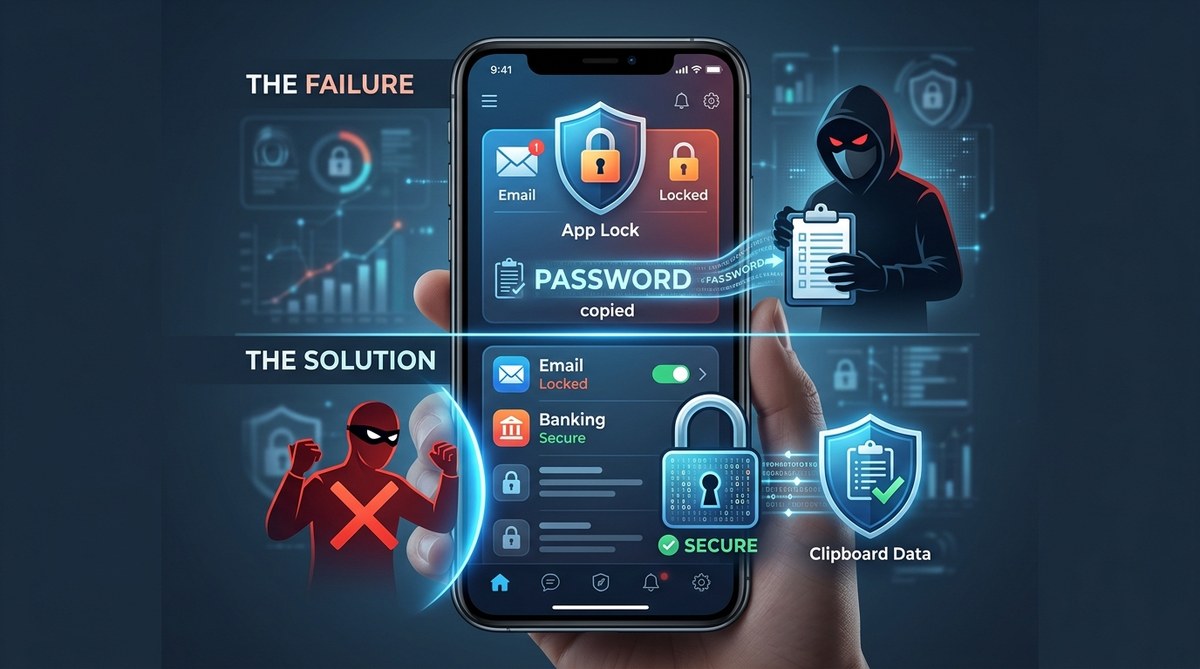
You copy a password from your password manager, switch to your banking app, and paste it in. The transaction goes through. Later, you find unauthorized transfers draining your account. What happened? In those few seconds between copy and paste, a clipboard hijacker snatched your credentials and replaced them with its own. This isn’t a theoretical attack. It is a growing threat in 2026, and most app locks do nothing to stop it.
Clipboard hijacking attacks silently intercept copied data like passwords, crypto addresses, and personal identifiers. Standard app locks protect the app itself but leave the system clipboard wide open. Real clipboard hijacking prevention requires a combination of disabling clipboard access for untrusted apps, using paste-blocking tools, and adopting hardware-based authentication methods that bypass the clipboard entirely.
How Clipboard Hijacking Actually Works
Clipboard hijacking is a type of data theft where a malicious program monitors your device’s clipboard for specific content. When you copy a cryptocurrency wallet address, a password, or a private key, the malware swaps it with an attacker-controlled value. You paste what looks like the correct data, but the funds or credentials go straight to the thief.
On Windows, this often happens through clipboard manager malware that hooks into the system API. On Android, malicious apps request clipboard read permissions in the background. The attack is silent. No popups. No errors. Just a quiet swap that can empty a bank account in seconds.
The reason standard app locks fail is simple. They lock the application window, not the clipboard. If you have a password manager locked behind biometrics but copy the password to your clipboard, a hijacker can still read it before you paste it into your target app.
Why Your App Lock Is Not Enough
Many developers and power users assume that locking individual apps with PINs or fingerprints stops all data leaks. That assumption is dangerous. Here is what a typical app lock protects and what it misses:
| Protection Layer | What It Secures | What It Misses |
|---|---|---|
| App lock (PIN/biometric) | App access, screen visibility | System clipboard, background processes |
| Password manager vault | Stored credentials | Copied passwords in transit |
| Screen lock | Device access | Clipboard monitoring by malware |
| Two-factor authentication | Login verification | Session hijacking after login |
As the table shows, the gap is always the clipboard. A hijacker does not need to break into your locked app. It only needs to watch the clipboard buffer.
Practical Steps for Clipboard Hijacking Prevention
You can close this gap with a few deliberate changes to your workflow. These steps work for both Android and Windows users.
-
Disable automatic clipboard sync across devices. Cloud clipboard sharing is convenient, but it creates another attack surface. Turn off Google Clipboard sync and Microsoft’s clipboard history across devices unless you absolutely need them.
-
Use a dedicated paste-blocking tool. On Windows, tools like Paste Protect or similar utilities warn you when an app tries to read the clipboard without your permission. On Android, use a keyboard that requests manual paste confirmation rather than allowing apps to auto-read clipboard data.
-
Adopt an authenticator app or hardware key for sensitive actions. Instead of copying one-time codes, use push notifications or USB-based security keys. This removes the clipboard from the authentication flow entirely.
-
Review app permissions regularly. On Android, go to Settings > Privacy > Clipboard and check which apps have clipboard access. Revoke permissions for anything you do not recognize. On Windows, review background apps in Task Manager and remove clipboard monitoring tools you did not install.
-
Use a password manager with auto-fill that bypasses the clipboard. Many modern password managers can paste credentials directly into a field without writing them to the system clipboard. Enable this feature and disable the “copy to clipboard” option.
Common Mistakes That Leave You Vulnerable
Even security-conscious users make these errors. Watch out for them.
- Relying on a single antivirus program to catch clipboard hijackers. Antivirus tools often miss custom malware that uses legitimate clipboard APIs.
- Copying and pasting cryptocurrency addresses at all. Use address book features inside exchanges or wallets instead.
- Trusting browser extensions that promise clipboard management. Some of these extensions are themselves hijackers in disguise.
- Leaving clipboard history enabled on Windows. Windows 10 and 11 store clipboard items, and malware can read the entire history.
Expert advice: Treat your clipboard like a shared whiteboard in a public hallway. Write on it only when you are ready to erase immediately. Never leave sensitive data sitting there for even a few seconds.
A Safer Workflow for Sensitive Data
Here is a bulleted list of habits that reduce risk without slowing you down.
- Copy sensitive data only when the destination field is already focused and ready.
- Clear your clipboard after every paste using a clipboard manager that supports auto-clear.
- Use separate devices for high-value tasks. Keep your crypto wallet on a dedicated phone that never runs unknown apps.
- Enable clipboard monitoring alerts on Android using privacy-focused security suites.
- Test your defenses by copying a fake password and checking if any background process reads it.
What App Developers Can Do Right Now
If you build apps for Android or Windows, you have a responsibility to protect users from clipboard attacks. Here are three changes you can make today.
First, add a “paste from secure source” option in your app. Instead of accepting clipboard data silently, prompt the user to confirm the paste. Second, integrate with platform-level clipboard guards. Android’s clipboard access controls have improved, but many apps still request blanket read permissions. Request clipboard access only when the user initiates a paste. Third, support WebAuthn and hardware keys for authentication. These methods never touch the clipboard, making hijacking impossible.
For a deeper look at how these protections fit into a broader security plan, check out our guide on top strategies to secure your mobile apps from hackers. It covers the full picture of app-level defenses beyond just the clipboard.
The Role of Biometric App Locks in 2026
Biometric locks are excellent for keeping someone out of your phone when it is unlocked and in your hand. They are not a defense against malware that runs in the background. A hijacker does not need to unlock your app. It just reads the clipboard while your app is open and authenticated.
That is why you need to combine biometric locks with clipboard-specific protections. Learn how to set this up correctly in our article on how to lock individual apps with biometrics and prevent data breaches in 2026. The key is layering. Biometrics for access. Clipboard guards for data in transit.
Testing Your Clipboard Defenses
You can test whether your system is vulnerable right now. Copy a string of text that looks like a Bitcoin address. Then open a system monitoring tool like Process Explorer on Windows or an Android activity log. Look for any process that reads the clipboard within seconds of your copy action. If you see an unknown process, you have a hijacker.
Run this test after installing any new software. Also run it after granting permissions to a new app on Android. This simple check catches most clipboard hijackers before they cause real damage.
Building a Lasting Defense Against Clipboard Hijackers
Clipboard hijacking prevention is not a one-time setup. It is a habit. In 2026, as more people use password managers and authenticator apps, attackers will keep finding new ways to intercept data between the manager and the app. The clipboard is their favorite shortcut.
Start with the steps above. Disable cloud sync. Use paste-blocking tools. Switch to auto-fill methods that skip the clipboard. Review your app permissions every month. And if you are a developer, build paste confirmation and hardware key support into your apps. These changes take minutes to implement but can save you or your users from a devastating loss.
Your data deserves better than a simple copy and paste. Give it the protection it needs by treating the clipboard as the weak link it is. Once you close that gap, your app locks will finally work the way you always expected them to.