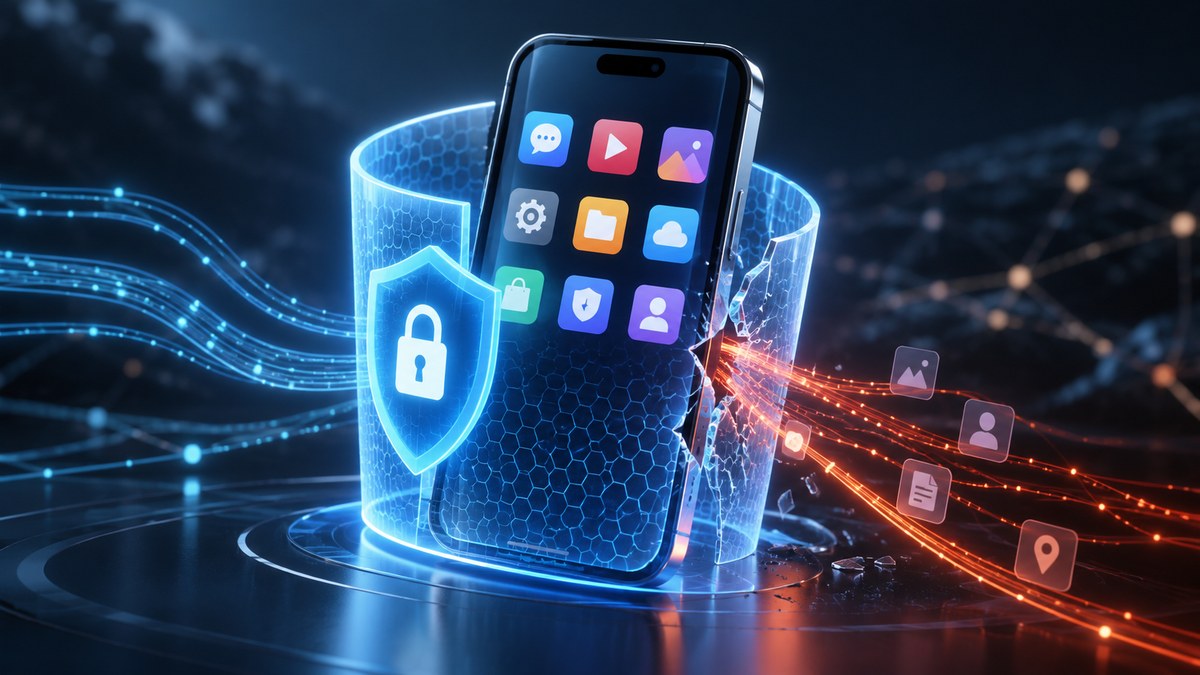
You pay for a VPN. You turn it on. You feel safer. But do you actually know what that little tunnel is doing for you? Most VPN ads make it sound like a magic invisibility cloak. One click and suddenly your data is untouchable, your location is hidden, and every app on your phone behaves itself. That picture is not quite accurate.
A VPN is a powerful tool, but it has limits. It protects your traffic between your device and the VPN server. It hides your IP address from websites. It encrypts your data on public Wi-Fi. But it does not stop apps from tracking you. It does not block cookies. It does not prevent the apps you already use from collecting your location, your contacts, or your browsing habits inside the app itself. If you want to understand what a VPN actually protects against, and more importantly what it leaves exposed, this guide is for you.
A VPN encrypts your internet traffic and hides your IP address from websites and network snoops. But it does not stop the apps on your phone from collecting your data, tracking your behavior, or sharing your location. For complete privacy, you need to pair a VPN with app-level controls like permission audits, biometric locks, and anti-tracking tools.
What a VPN Actually Does Well
Let’s start with the good stuff. A VPN shines in a few specific areas. When you connect to a VPN, your device creates an encrypted tunnel to a server operated by the VPN provider. All your internet traffic passes through that tunnel. Anyone monitoring the network between you and that server sees only gibberish.
It Protects Your Data on Public Wi-Fi
This is the classic use case. You are at a coffee shop in Austin or waiting for a flight at LAX. The public Wi-Fi network is open. Anyone on that same network can snoop on unencrypted traffic. A VPN encrypts everything, so your emails, messages, and login credentials stay private from other people on the network.
It Hides Your IP Address
Every website you visit sees your IP address. That address can reveal your general location and your internet service provider. A VPN replaces your real IP with the IP of the VPN server. This makes it harder for websites to pinpoint your location or build a profile based on your IP.
It Prevents Your ISP from Spying on You
Your internet service provider can see every website you visit unless you use a VPN. They can sell that data or hand it over to authorities. A VPN stops your ISP from seeing your browsing activity. They only see that you are connected to a VPN server.
It Can Bypass Geo-Restrictions
Want to watch a show that is only available in another country? A VPN can make it look like you are connecting from that country. This works for streaming services, but be aware that many services actively block VPN IP addresses.
Where a VPN Falls Short
This is the part that most marketing glosses over. A VPN does not secure your apps. It does not stop the software on your phone from collecting data. It does not block trackers embedded inside apps. It does not prevent your social media apps from reading your contacts or your location.
Think of it this way. A VPN protects the road your data travels on, but it does not control what the car (the app) does once it arrives at the destination. If you open Instagram while your VPN is on, Instagram still sees your account, your likes, your messages, and your device information. The VPN only hides the IP address from Instagram. It does not stop Instagram from tracking you inside the app.
App-Level Tracking Is Invisible to VPNs
Many popular apps use their own tracking systems. They collect your device ID, your advertising ID, your location from GPS, and your behavior within the app. A VPN has no control over this. The app sends this data over the encrypted tunnel, but the destination server still receives it.
Cookies and Browser Tracking
Your browser stores cookies. These small files track your activity across websites. A VPN does not clear your cookies. If you visit a site without a VPN and then visit it again with a VPN, the site can still recognize you through the cookie. The VPN only changes your IP, not your browser’s stored data.
Malware and Phishing
A VPN is not antivirus software. If you download a malicious app or click a phishing link, a VPN will not protect you. The malware can still steal your data, encrypt your files, or record your keystrokes. The encryption tunnel does not stop the malware from communicating with its command server.
Data Collected by Apps You Already Use
This is the biggest blind spot. Apps like Facebook, TikTok, and Google Maps collect massive amounts of data. They know your real name, your phone number, your contacts, your location history, and your interests. A VPN does not delete that data. It does not stop the app from sending that data to its servers. The app already has your information from when you signed up.
What Does a VPN Protect Against? A Clear Breakdown
Let’s put this into a table so you can see exactly what a VPN covers and what it leaves exposed.
| What a VPN Protects Against | What a VPN Does Not Protect Against |
|---|---|
| Your IP address from websites | App-level tracking and device IDs |
| Your traffic on public Wi-Fi | Cookies and browser fingerprinting |
| Your ISP seeing your browsing history | Data already collected by apps |
| Network-level snooping | Malware and phishing attacks |
| Geo-restrictions on some content | Your login credentials if you reuse passwords |
| DNS queries from your ISP | Location data from GPS sensors in your phone |
The Real Blind Spot: Your Apps
Here is the uncomfortable truth. Most of your privacy is not lost on the network. It is lost inside your apps. Every time you install a new app, you grant it permissions. It can access your camera, your microphone, your contacts, your location, your storage. A VPN does nothing to restrict those permissions.
How Apps Leak Your Data Even with a VPN
- Device fingerprinting. Apps collect your device model, operating system version, screen resolution, and unique hardware IDs. This creates a fingerprint that identifies you even if your IP changes.
- Location from GPS. Your phone has a GPS chip. Apps can request your precise location without ever touching your IP address. A VPN cannot spoof GPS data.
- Account-based tracking. Once you log into an app, the app knows who you are. It does not matter if your IP is hidden. The app ties all your activity to your account.
- Third-party trackers. Many apps embed tracking code from companies like Google and Facebook. These trackers follow you across different apps and websites, building a profile that a VPN cannot stop.
A Practical Example
You use a weather app. You grant it access to your location so it can show you the local forecast. The app uses that permission to log your location every time you open it. It sells that data to advertisers. You are using a VPN, so your IP is hidden. But the app still knows exactly where you are because you gave it GPS permission. The VPN did not help.
How to Close the Gaps
If a VPN alone is not enough, what else should you do? The answer is to control your apps directly. You need to lock down the permissions that apps have on your phone.
Step-by-Step: Audit Your App Permissions
- Open your phone’s settings.
- Go to the privacy or security section.
- Review app permissions for location, camera, microphone, and contacts.
- Revoke permissions for any app that does not need them.
- Check your advertising ID settings and reset it regularly.
This process takes about ten minutes. It is one of the most effective ways to stop app-level tracking. For a more detailed walkthrough, check out our guide on how to audit every app permission on your phone in under 10 minutes.
Use App Locks and Biometrics
Even with permissions locked down, someone with physical access to your phone can open your apps. A strong app lock adds another layer. Use biometric locks (fingerprint or face) instead of simple PINs. Our guide on how to lock individual apps with biometrics and prevent data breaches in 2026 shows you how.
Block Trackers at the DNS Level
Some VPNs offer DNS-level blocking. This stops your device from connecting to known tracking domains. It is not perfect, but it helps reduce the amount of data that apps can send out. Combine this with a privacy-focused browser and extensions that block trackers.
Consider a Multi-Layer Approach
A VPN is one tool. Treat it as part of a larger system. Use a password manager. Enable two-factor authentication. Review app permissions regularly. Use app locks for sensitive apps. For a complete strategy, read our ultimate guide to creating a mobile security routine that actually sticks.
Common Mistakes People Make
Many people assume that a VPN makes them completely anonymous. That is not true. Here are the most common mistakes.
- Thinking a VPN hides your identity. It hides your IP, but not your account logins, cookies, or device fingerprint.
- Using a free VPN. Free VPNs often log your data and sell it. Some even inject ads or malware. You are the product.
- Leaving the VPN on all the time without checking. Some apps break or behave differently with a VPN. You might accidentally disable it and forget to turn it back on.
- Ignoring app permissions. You spend money on a VPN but never check what your apps are allowed to do. That is like locking your front door but leaving the windows open.
Expert advice: A VPN is a privacy tool, not a privacy solution. Think of it as a fence around your network traffic. But the doors to your house (your apps) still need locks. You need both.
Putting It All Together
So what does a VPN protect against? It protects your internet traffic from being intercepted. It hides your IP address. It stops your ISP from watching you. But it does not protect you from the apps on your phone. It does not stop tracking inside those apps. It does not block malware. It does not replace good security habits.
The best approach is to use a VPN for what it is good at, and then layer on app-specific protections. Audit your permissions. Use app locks. Block trackers. Keep your software updated. Each layer makes you harder to track and harder to compromise.
Your Next Step
Take five minutes right now. Open your phone’s settings and check which apps have access to your location. Revoke any that do not need it. Then go to your camera and microphone permissions and do the same. That one action will do more for your app privacy than any VPN ever could.
After that, consider locking your most sensitive apps behind a biometric lock. If you want to see how that works, our guide on stop relying on simple PINs: upgrade to biometric app locks now walks you through the process.
Your VPN is a valuable tool. But it is not a substitute for taking control of your apps. The real power is in your hands.