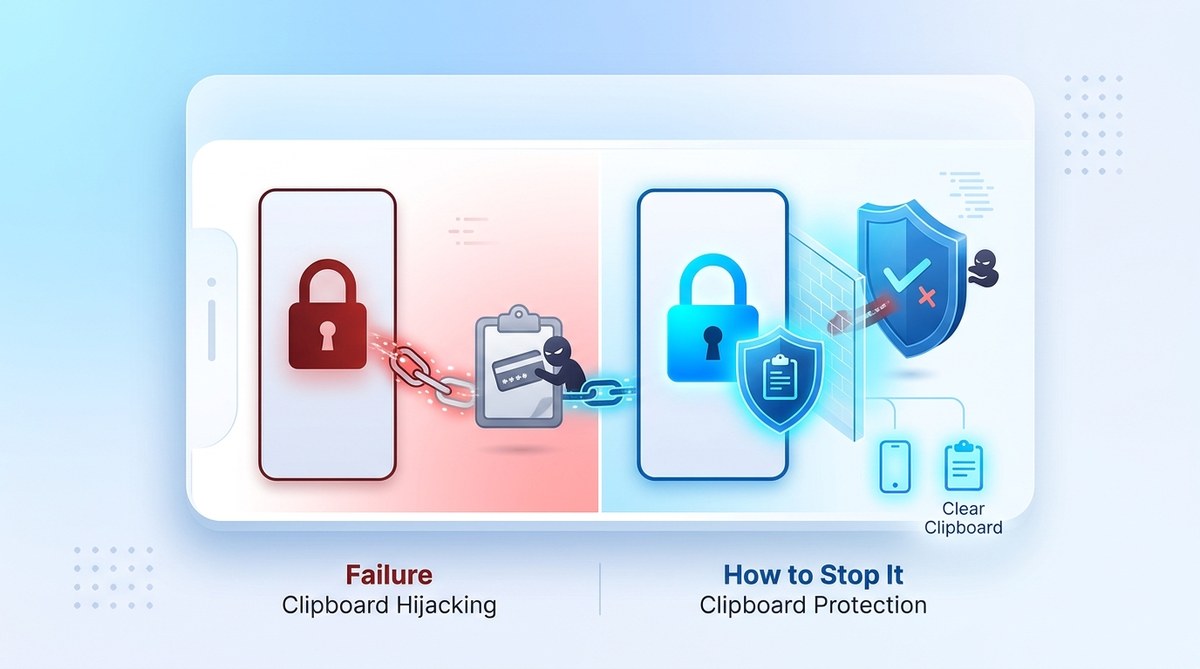
You copy a wallet address. You paste it. The transaction looks normal. But the funds vanish into a thief’s account.
This is clipboard hijacking. It is one of the most effective and overlooked attacks in the cryptocurrency world. You might have the best app lock on your phone. You might use strong passwords. None of that matters if the malware sitting on your device can read and replace whatever you copy.
Clipboard hijackers, also called clipper malware, monitor your system clipboard. When they detect a cryptocurrency wallet address, they swap it with an attacker’s address. The transaction goes through. You never notice until the coins are gone.
Let’s break down how this works, why your current protections fall short, and exactly what you can do to stop it.
Clipboard hijacking is a silent attack that swaps copied crypto wallet addresses with a hacker’s address. Standard app locks and antivirus tools rarely stop it because the malware runs in the background and intercepts clipboard data. The most effective defense combines read-only clipboard managers, hardware wallets, address verification steps, and tools that block unauthorized clipboard access. Never paste without triple-checking the first and last characters of the address.
How Clipboard Hijacking Actually Works
Clipboard hijacking is not a theoretical risk. It is a proven attack vector that has stolen millions of dollars in cryptocurrency. The malware typically arrives through a phishing email, a malicious browser extension, or a fake app download.
Once installed, the malware does one thing: it watches the clipboard. Every time you copy text, the malware checks if it looks like a cryptocurrency address. Bitcoin addresses start with 1, 3, or bc1. Ethereum addresses start with 0x. The malware recognizes these patterns instantly.
When it finds a match, it replaces the copied address with one controlled by the attacker. You paste the address into your wallet or exchange. It looks right because the beginning and end might match. But the middle is different. Your transaction goes to the wrong wallet.
The attacker then moves the funds through a series of wallets to hide the trail. By the time you realize what happened, the money is gone.
Why Your App Lock Does Not Protect You
Many people assume that locking their apps with a PIN or biometrics is enough. It is not. Here is why.
An app lock prevents someone from opening your wallet app when your phone is unlocked. That is useful against physical theft. But clipboard hijacking happens while you are using the device. The malware runs in the background. It does not need to open your wallet. It just needs to intercept the clipboard data.
Think of it like this. Your app lock is a deadbolt on the front door. The clipboard hijacker is a spy inside your house who reads your mail before you seal the envelope. The deadbolt does not stop the spy.
A Practical Example of the Attack
Let’s say you want to send 0.5 Bitcoin to a friend. You open your wallet app. You copy your friend’s wallet address from a message. The address is bc1qar0s4r8t9y2u3i4o5p6a7s8d9f0g1h2j3k4l5z.
The malware on your phone sees this. It replaces the address with bc1qar0s4r8t9y2u3i4o5p6a7s8d9f0g1h2j3k4l5x. Notice the last character changed from z to x. You paste. It looks close enough. You confirm the transaction. The Bitcoin goes to the attacker.
You only notice when your friend asks where the money is. By then, the attacker has already converted the Bitcoin to Monero or another privacy coin and moved it through multiple wallets.
The Five Most Common Mistakes People Make
| Mistake | Why It Is Dangerous | Safer Alternative |
|---|---|---|
| Copying addresses from unverified sources | The source itself might be compromised or contain a hijacked address | Always type the address manually or use a trusted address book |
| Pasting without checking every character | Your brain skims and sees a match that is not there | Check the first 4 and last 4 characters every time |
| Using the same device for everything | Malware on your browsing device can infect your clipboard | Use a dedicated hardware wallet or a separate device for transactions |
| Relying only on antivirus software | Antivirus may not catch new or obfuscated clipboard malware | Layer a clipboard manager that requires manual confirmation |
| Ignoring browser extension risks | Free extensions can include hidden clipboard monitoring code | Only install extensions from trusted developers and audit them regularly |
How to Block Clipboard Hijackers in 2026
You do not need to be a cybersecurity expert to protect yourself. These steps are practical and do not require advanced technical knowledge.
1. Use a Clipboard Manager with Read-Only Mode
Most clipboard managers store your history. That is not what you want. You need a clipboard manager that prevents other apps from reading the clipboard without your permission.
Some tools now offer a read-only mode. When enabled, only the app you are currently using can access the clipboard. Background processes are blocked. This stops clipper malware from even seeing the address you copied.
2. Verify Every Address Before You Send
This is the single most effective habit you can build. After you paste an address, pause. Look at the first four characters and the last four characters. Do they match the address you intended to send to?
Make this a ritual. Every transaction. No exceptions.
3. Use a Hardware Wallet for Large Transactions
Hardware wallets like Ledger or Trezor generate and verify addresses on the device itself. The address never touches your computer’s clipboard. You confirm the transaction on the hardware device, not on your screen.
This completely bypasses clipboard malware. The attacker cannot swap what they cannot see.
4. Block Unauthorized Clipboard Access on Your Phone
On Android, you can use security apps that monitor clipboard access and alert you when an unknown app reads it. On iOS, the system is more locked down, but clipboard hijacking is still possible through malicious apps with accessibility permissions.
Check your app permissions regularly. Remove anything that has clipboard access but does not need it. For a deeper look at managing app permissions, read our guide on how to spot and stop hidden app permissions that leak your data in 2026.
5. Use a Dedicated Transaction Device
If you handle significant amounts of cryptocurrency, consider using a separate device only for transactions. This device should have no browsing apps, no email, and no third-party extensions. You use it only to access your wallet and send transactions.
This isolates your transaction activity from the main attack vectors that deliver clipboard malware.
What to Do If You Suspect Clipboard Malware
If you think your device might be infected, take these steps immediately.
- Stop all cryptocurrency activity on that device.
- Run a full malware scan using updated security software.
- Check your list of installed apps and remove anything you do not recognize.
- Review your browser extensions and delete any that seem suspicious.
- Change your wallet passwords and enable two-factor authentication.
- Transfer your funds to a new wallet using a clean device.
Do not assume a single scan is enough. Some clipboard malware is designed to hide from antivirus tools. If you are unsure, wipe the device and restore from a backup that predates the infection.
Building a Long-Term Defense Strategy
Clipboard hijacking prevention is not a one-time setup. It is a habit. The attackers constantly evolve their methods. You need to stay ahead.
Here are the habits that matter most.
- Always verify addresses before sending.
- Use a hardware wallet for any transaction over a small amount.
- Keep your device and apps updated.
- Audit your app permissions monthly.
- Never install browser extensions without checking reviews and permissions.
For a more complete approach to mobile security, check out our top mobile safety tips to protect your personal data from hackers.
A Note on Browser Extensions
Browser extensions are a common delivery method for clipboard malware. A free extension that promises a useful feature might also include hidden code that monitors your clipboard.
Stick to extensions from well-known developers. Read the privacy policy. Check how many people have installed it and what the reviews say. If an extension requests clipboard access and you cannot see why it needs it, do not install it.
Why This Matters More in 2026
Clipboard hijacking attacks are becoming more sophisticated. Early versions only targeted Bitcoin addresses. Modern variants can detect and replace addresses for Ethereum, Litecoin, Monero, and dozens of other cryptocurrencies. Some can even replace private keys and seed phrases.
The attackers are also using better social engineering. They send emails that look like they come from your exchange or wallet provider. The email contains a link to a fake update that installs the malware. Once installed, it waits silently until you copy a valuable address.
“The clipboard is one of the most trusted and least protected parts of any operating system. Users copy and paste without thinking. That trust is exactly what attackers exploit.” — Security researcher, 2026
A Simple Test to Check Your Current Protection
Try this right now.
Copy a fake Bitcoin address to your clipboard. Then open a text editor and paste it. Did it paste correctly? Good. That is the baseline.
Now open a clipboard viewer or manager app and see what is stored. If any app can read your clipboard history without your permission, you have a vulnerability.
For a more thorough check, use a security tool that monitors clipboard access. Run it for a day. See which apps read your clipboard. You might be surprised.
Putting It All Together
Clipboard hijacking is a real and present danger for anyone who handles cryptocurrency. The attack is silent. The damage is immediate. But the defenses are straightforward.
Use a clipboard manager that blocks background access. Verify addresses before every transaction. Use a hardware wallet for significant amounts. Keep your device clean of suspicious apps and extensions.
These steps take a few seconds each. They can save you from losing everything in a single transaction.
Your Next Step for Stronger Security
Now that you understand the threat, take action. Start with the address verification habit. It costs nothing and provides immediate protection. Then move to the hardware wallet if you do not already use one. Finally, audit your device for any apps or extensions that might be monitoring your clipboard.
Clipboard hijacking prevention is not complicated. It just requires awareness and a few small changes to how you handle transactions. Implement these changes today. Your future self will thank you.