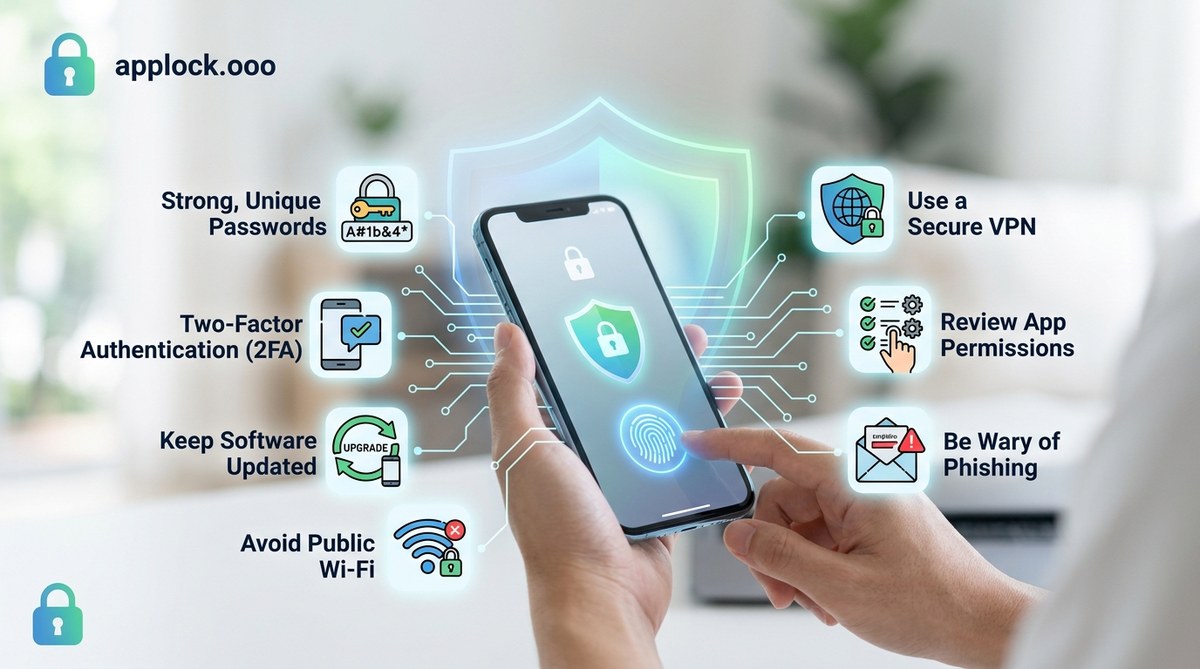
Staying safe on your smartphone isn’t just about avoiding annoying ads or managing battery life. It’s about protecting your personal data from malicious attacks that can happen anytime, anywhere. With the right habits and tools, you can keep your sensitive information out of the wrong hands. As tech-savvy users, understanding and applying these safety tips can make a real difference. Let’s walk through practical steps to boost your mobile security and safeguard your privacy.
Protecting your personal data on your mobile device involves using strong passwords, keeping software updated, avoiding risky apps and networks, and staying vigilant against phishing attempts. Combining these habits ensures your information stays private and secure in today’s digital world.
Why mobile safety is essential in today’s world
Your smartphone holds a treasure trove of personal data. From banking info and passwords to photos and messages, it’s a prime target for hackers. Cybercriminals constantly look for vulnerabilities to exploit. Even a small lapse in security can lead to identity theft, financial loss, or compromised privacy. Staying informed about how to protect yourself is crucial for maintaining control over your digital life.
Practical steps to shield your data from hackers
1. Use strong, unique passwords and enable two-factor authentication
Creating complex passwords is your first line of defense. Avoid using common passwords like “password123” or your birthdate. Instead, combine letters, numbers, and symbols. Consider using a password manager to generate and store passwords securely.
Enabling two-factor authentication (2FA) adds an extra layer of security. When logging into your accounts, you’ll need to enter a code sent to your device or generated by an app. This way, even if a hacker gets your password, they’d still need the second factor to access your account.
2. Keep your software and apps updated regularly
Developers release updates to fix security flaws and patch vulnerabilities. If your device or apps aren’t up to date, you leave openings for hackers to exploit. Activate automatic updates so your phone always stays protected. Check for updates periodically if you prefer manual control.
3. Be cautious with app downloads and permissions
Only install apps from trusted sources like the Google Play Store or Apple App Store. Check app reviews and developer credentials before downloading. Be wary of apps requesting unnecessary permissions, such as access to your contacts or camera without a clear reason.
A good rule is to review permissions during installation and revoke any that seem excessive or irrelevant. For example, a weather app shouldn’t need access to your contacts.
4. Avoid public Wi-Fi for sensitive activities
Public Wi-Fi networks can be breeding grounds for hackers. They often lack strong security measures, making it easy for cybercriminals to intercept your data. If you must use public Wi-Fi, connect through a virtual private network (VPN). A VPN encrypts your online activity, making it much harder for others to see what you’re doing.
5. Enable device encryption and locking features
Encryption converts your data into an unreadable format unless unlocked with your password or biometric. Most devices have encryption options in their security settings.
Always lock your device with a PIN, password, fingerprint, or face recognition. This prevents unauthorized access if you lose your phone or it gets stolen.
6. Be vigilant about phishing attempts and suspicious links
Hackers often try to trick users into revealing sensitive info through fake emails or messages. Never click on links or download attachments from unknown sources. Be skeptical of messages that create a sense of urgency or ask for personal details.
If you’re unsure about a message, verify the sender through other channels before responding.
7. Regularly back up your data
In case your device gets compromised, having a backup ensures you don’t lose important information. Use cloud services or external drives to store copies of your photos, contacts, and documents. This way, even if your device is compromised, your data is safe and recoverable.
8. Use security apps and privacy tools
Consider installing security apps that scan for malware and malicious activity. Privacy-focused apps can block trackers and encrypt communications. Additionally, review your app permissions periodically to remove unnecessary access.
9. Be cautious with Bluetooth and NFC
While convenient, Bluetooth and NFC can be exploited if left active in public places. Turn off these features when not in use. This minimizes the risk of unauthorized connections or data interception.
10. Limit sharing sensitive information on social media
Sharing your location, personal details, or daily routines can give hackers clues to target you. Keep your social media profiles private and think twice before posting sensitive information.
Common pitfalls to avoid when protecting your mobile data
| Technique | Mistake | Why it’s risky |
|---|---|---|
| Using simple passwords | Reusing passwords across accounts | Easy for hackers to breach multiple accounts after a single leak |
| Ignoring updates | Skipping security patches | Leaving vulnerabilities open for exploitation |
| Installing untrusted apps | Downloading from third-party sources | Risk of malware or spyware infection |
| Connecting to unsecured Wi-Fi | Using public Wi-Fi for banking or shopping | Data theft or man-in-the-middle attacks |
| Sharing too much info online | Posting personal details publicly | Making it easier for hackers to target you |
“Always remember that your mobile device is an extension of your identity. The more secure it is, the less chance hackers have to steal your personal data,” advises cybersecurity expert Jane Doe.
How to stay ahead with mobile security practices
Staying safe is an ongoing process. Regularly review your security settings and stay informed about emerging threats. Consider attending webinars or reading trusted blogs about mobile privacy. Practicing good habits, like locking your device and being cautious online, makes a big difference.
For additional insights, check out our guide on top strategies to secure your mobile apps from hackers.
Keeping your data safe in a connected world
Your smartphone is more than just a device. It’s a gateway to your personal world. By following these safety tips, you can minimize risks and enjoy your mobile experience without worry. Remember, security is about habits. Be vigilant, stay updated, and trust your instincts when something feels off. Protecting your data isn’t complicated once you incorporate these practices into your daily routine.
Stay smart, stay safe, and keep your personal data out of reach from those who want to misuse it.