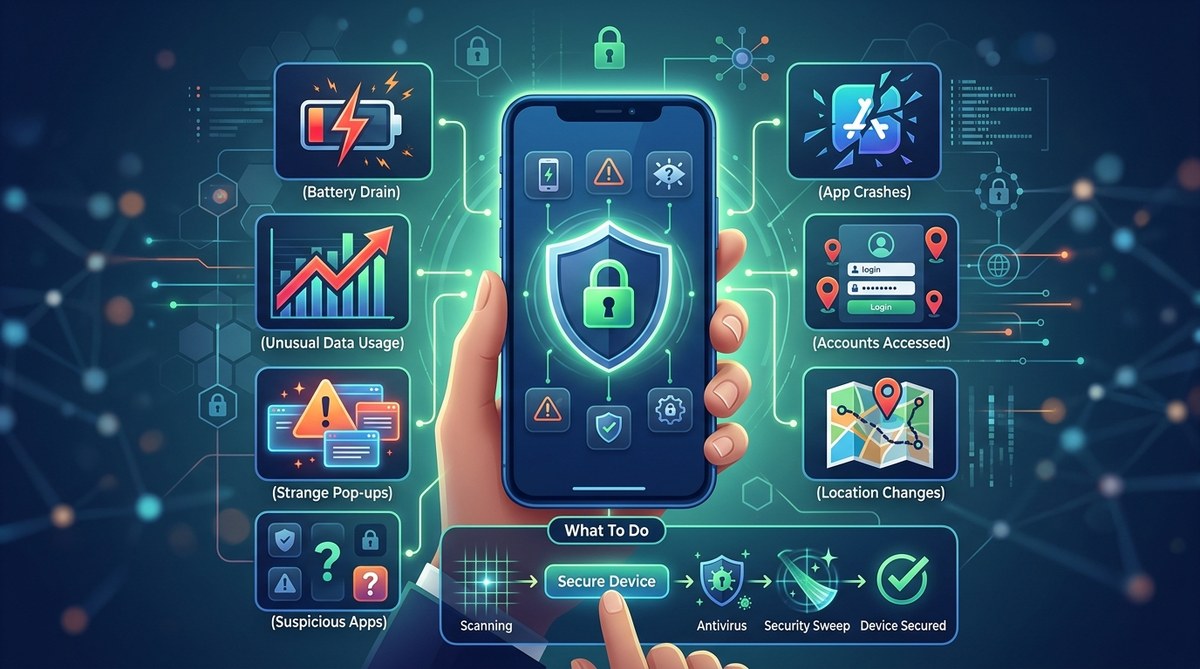
Your phone is the device you trust most. You keep photos, messages, bank accounts, and personal notes on it. So when it starts behaving in ways you cannot explain, that trust cracks. Maybe the battery dies by lunch even though you barely used it. Maybe a random app appears on your home screen. Maybe your friends ask why you sent them a weird link at 3 AM.

That uneasy feeling is your gut telling you something is off. And you are right to pay attention.

<div style="border:1px solid #c8b88a; background:#fbf7ea; padding:20px; border-radius:14px; margin-bottom:30px;">
  <div style="font-weight:700; margin-bottom:10px; color:#856404;">Key Takeaway</div>
  <p style="margin:0;">If your phone is draining battery fast, showing apps you never installed, flooding you with pop-ups, overheating when idle, or sending strange texts on its own, it may be hacked. Act fast. Run a security scan, remove suspicious apps, change passwords, and enable app locking tools to stop attackers from accessing your private data.</p>
</div>

## What Does a Hacked Phone Actually Look Like?

Most people imagine a hacked phone as a Hollywood scene. Flashing red alerts, creepy text messages from an unknown number, a stranger controlling the screen. In reality, a compromised phone is much quieter. It hides in small changes that are easy to dismiss.

Battery life that used to get you through a full day now barely makes it to noon. Your phone feels warm in your pocket even when you haven't opened anything. A new game or utility app appears that you definitely did not download.

These small clues add up. They are the early warning signs that something malicious is running in the background. Malware, spyware, or a remote access tool could be siphoning your data, tracking your location, or watching through your camera.

The good news is that you caught it early enough to do something about it.

## 7 Warning Signs Your Phone May Be Compromised

These are the most common signals that your device has been breached. Not every sign guarantees you are hacked. But if you see two or more on this list, it is time to take action.

### 1. Your Battery Drains Much Faster Than Normal

Every phone battery degrades over time. But a sudden drop in battery performance that happens overnight is a red flag.

Malware and spyware run hidden processes in the background. Those processes consume power. If your phone used to last 16 hours and now dies in 8, something extra is running on your device. Check your battery usage settings. Look for apps or services you do not recognize consuming a large share of power.

### 2. You Notice Apps You Never Installed

Take a minute to scroll through your app drawer. Do you see anything unfamiliar? A flashlight app you never downloaded? A fitness tracker you have never opened? A utility tool with a generic name and no icon?

Attackers often push unwanted apps onto compromised devices. These apps can collect data, show ads, or act as backdoors for more dangerous software. If you spot an app you did not install, do not open it. Remove it immediately.

### 3. Pop-Ups Appear Out of Nowhere

Pop-up ads are annoying. But pop-ups that appear when you are not even browsing the web are a bigger problem.

Some types of malware force your browser or your home screen to show intrusive ads. These pop-ups often try to scare you into downloading "antivirus" software or clicking a link to claim a prize. Do not tap them. Close the browser tab or restart your phone. If the pop-ups keep coming, you likely have adware installed.

### 4. Your Data Usage Spikes for No Reason

Malware needs to communicate with its command-and-control servers. It sends data out and receives instructions back. That activity uses your mobile data or Wi-Fi.

Check your data usage in the settings menu. Look for spikes on days when you were not streaming video or downloading large files. If you see an app using gigabytes of data when it should be using almost nothing, that app may be compromised.

### 5. Your Phone Feels Hot Even When Idle

A phone that runs warm while charging or during heavy gaming is normal. A phone that feels hot when sitting on your nightstand is not.

Background malware keeps the processor busy. It may be mining cryptocurrency, recording audio, or uploading your photos. All of that work generates heat. If your phone feels unusually warm and you cannot explain why, run a security scan.

### 6. Strange Texts or Calls Show Up in Your Logs

Attackers sometimes use your phone to send premium-rate text messages or make calls to numbers you do not know. These actions generate revenue for them while you get the bill.

Scroll through your text message log and call history. Look for messages sent to short codes or international numbers you do not recognize. If your contacts tell you they received a strange message from you, that is another strong clue that your phone is compromised.

### 7. Your Accounts Show Activity You Did Not Start

Check your email, social media, and banking apps. Look for login notifications from unfamiliar locations, password reset emails you did not request, or messages sent from your account while you were asleep.

Hackers often use a compromised phone to steal session tokens or saved passwords. Once they have those, they can access your accounts from anywhere. If you see activity that does not match your own behavior, your phone may be the entry point.

## What Hackers Want From Your Device

Understanding the motive can help you stay alert. Hackers are not always after your credit card number. Sometimes they want something simpler.

- **Personal data**: Your name, address, phone number, and email can be sold on the dark web or used for identity theft.
- **Login credentials**: Saved passwords in your browser or apps give attackers access to your email, social media, and bank accounts.
- **Camera and microphone access**: Spyware can turn your phone into a listening device or a hidden camera.
- **Cryptocurrency mining**: Some malware uses your phone's processing power to mine coins, which slows your device and drains the battery.
- **Premium service abuse**: Your phone can be used to send texts or make calls to paid numbers, generating profit for the attacker.

Attackers are opportunists. They look for the easiest path to valuable information. A phone without proper security measures is an open door.

## How to Check If Your Phone Is Hacked (Step by Step)

If you suspect something is wrong, follow these steps to investigate. Do not panic. Just work through the list methodically.

1. **Check installed apps**. Go to your app list and look for anything unfamiliar. Sort by "recently installed" to see apps added around the time your phone started acting strange.
2. **Review battery usage**. Open the battery settings and look for apps consuming more power than expected. Research any app you do not recognize.
3. **Scan your data usage**. Find the data usage section in settings. Look for apps with high background data consumption.
4. **Run a security scan**. Use a trusted mobile security app from your phone's official app store. Do not download a scanner from a pop-up ad.
5. **Check your accounts**. Log into your email and social media accounts from a computer. Review recent login activity and active sessions. Revoke any sessions you do not recognize.
6. **Look for unusual device admin access**. On Android, go to Settings > Security > Device admin apps. On iPhone, check for profiles under Settings > General > VPN & Device Management. Remove anything you did not install.

> **Expert advice**: "Most people overlook the device admin list. Malware often grants itself admin privileges so you cannot uninstall it easily. If you see an app there that you do not fully trust, revoke its admin access right away." — Mobile security researcher at a university cybersecurity lab.

## Common Mistakes People Make When They Suspect a Hack

| Mistake | What to do instead |
|---------|-------------------|
| Ignoring the signs and hoping they go away | Act immediately. Delays give attackers more time to steal data. |
| Downloading a scanner from a pop-up ad | Only download security tools from your phone's official app store. |
| Factory resetting without backing up safely | Back up only essential photos and documents to a trusted cloud service, then reset. Do not restore from a backup that may contain malware. |
| Changing passwords on the compromised phone | Use a different device to change your passwords. The attacker may be logging your keystrokes. |
| Not telling friends and family | If your phone sent strange messages, let your contacts know your account was compromised so they do not fall for scams. |

## What to Do If Your Phone Has Been Hacked

If you have confirmed that your phone is compromised, act quickly. Here is what you should do.

First, disconnect from the internet. Turn off Wi-Fi and mobile data. This cuts the malware off from its remote server and stops data from leaving your phone.

Next, remove any suspicious apps you identified. Go through your app list and uninstall anything unfamiliar. If an app will not let you uninstall it, it likely has device admin privileges. Revoke those first in the security settings.

Then, change your most important passwords using a different device. Start with your email password, then move to banking, social media, and any other accounts you use on your phone. Use strong, unique passwords for each account. A password manager can help you generate and store them.

Run a full factory reset if the problems persist. This wipes your phone clean and removes most malware. After the reset, restore your data from a backup made before the compromise, or start fresh with only the apps you truly need.

Finally, enable protections that prevent future attacks. This includes using an app locker to add an extra layer of security to your most sensitive apps. For more on this, check out our guide on [top strategies to secure your mobile apps from hackers](https://applock.ooo/top-strategies-to-secure-your-mobile-apps-from-hackers/).

## How to Protect Your Phone From Future Attacks

Prevention is simpler than cleanup. A few small habits can make your phone much harder to compromise.

- **Only install apps from official stores**. Sideloading apps from unknown sources is the most common way malware gets onto phones.
- **Keep your operating system and apps updated**. Each update includes security patches that fix known vulnerabilities.
- **Use an app locker for sensitive apps**. Banking apps, email, messaging, and social media should have an extra lock. This protects your data even if someone gains access to your phone.
- **Review app permissions regularly**. Does a flashlight app really need access to your contacts and camera? Revoke permissions that do not make sense for the app's purpose.
- **Be careful with public Wi-Fi**. Use a VPN if you connect to public networks. Hackers can intercept data on unsecured Wi-Fi.

For more detailed advice, you can read our article on [best practices for locking apps and safeguarding personal data](https://applock.ooo/best-practices-for-locking-apps-and-safeguarding-personal-data/). It walks through exactly which apps to lock and how to set them up.

## Stay Vigilant and Trust Your Gut

You know your phone better than anyone else. When it starts acting differently, do not brush it off. That strange feeling you get when the battery dies too fast or a pop-up appears at a weird moment is your intuition telling you to pay attention.

The signs your phone has been hacked are not always dramatic. They are often small, quiet, and easy to explain away. But catching a compromise early can save you from stolen identity, drained bank accounts, or leaked private photos.

If something feels wrong, run through the checklist in this article. Remove what does not belong. Lock what matters most. And then go back to using your phone with the confidence that it is yours again.

A little awareness goes a long way. You do not need to be a security expert to protect yourself. You just need to know what to look for and what to do when you see it.