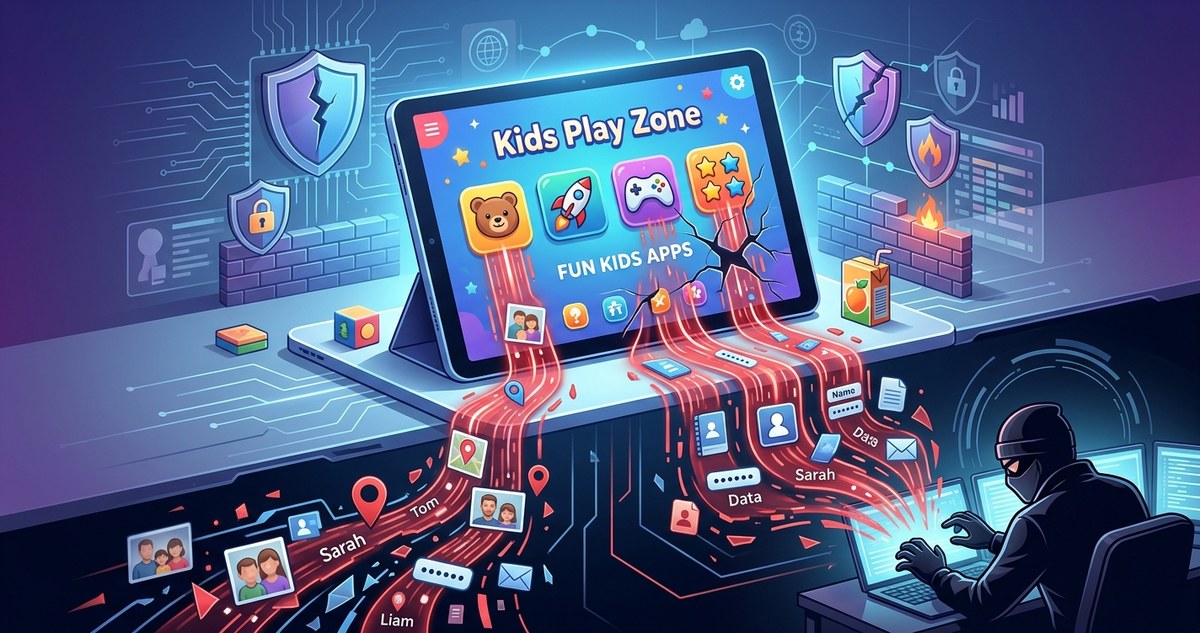
You hand your child a tablet so they can play their favorite game while you make dinner. It feels like a safe, normal moment. But behind those colorful characters and cheerful sound effects, that game might be quietly sending your family’s private data to companies you have never heard of. This is not a scare tactic. It is a real, growing problem called a kids apps privacy leak, and it affects millions of families across the United States right now.
A kids apps privacy leak happens when children’s mobile apps collect personal data like names, locations, and device IDs, then share that data with third parties without clear consent. Many popular “free” apps rely on this data to make money. By understanding how data flows out of your home and using simple privacy tools, you can stop the leak and keep your family’s information safe.
How a Simple Game Turns Into a Privacy Leak
Think about the last app your child downloaded. It probably asked for permission to access the microphone, the camera, or the contact list. Maybe it requested access to their location. Many parents tap “Allow” without a second thought because the app looks harmless. But those permissions are the main gateway for a kids apps privacy leak.
Apps use small pieces of code called Software Development Kits (SDKs) from other companies. These SDKs help the app show ads, track how long a child plays, or remember login details. The problem is that these SDKs often send data back to their own servers. Your child’s play habits, their rough location, and even their voice recordings can end up in the hands of data brokers.
What Data Is Leaking From Your Family’s Apps
It helps to know exactly what is at risk. Here is a breakdown of the most common types of data that get collected through children’s apps.
| Data Type | How It Gets Collected | Why It Is Valuable to Third Parties |
|---|---|---|
| Full name and username | Account sign-up forms | Builds a profile for targeted ads |
| Location data (GPS) | Device permissions and IP address | Sells to local advertisers or data brokers |
| Device ID and hardware info | Automatic fingerprinting | Tracks a user across multiple apps |
| Microphone and camera access | In-app permissions for voice chats or photos | Gathers audio and visual data for analysis |
| Behavioral data (time played, clicks) | SDKs and tracking pixels inside the app | Predicts future behavior and spending habits |
| Contact list and friends’ names | Permission prompts to “find friends” | Expands the data web to other families |
This table shows just how much information can slip away. A single game might collect five or six of these data points from your child without you noticing.
The Hidden Business Model Behind Free Apps
Many parents assume that if an app is free, it must be safe. But the real cost is not in dollars. It is in data. Companies that make children’s apps often rely on advertising revenue. To show relevant ads, they need to know who is playing. That means collecting as much data as possible and selling it to ad networks.
“When a product is free, you are the product. This is especially true for children’s apps, where regulations are weaker and enforcement is rare.”
Privacy researcher cited in a 2025 Congressional hearing on kids’ online safety
The kids apps privacy leak is not usually caused by a single bad actor. It is baked into the business model of thousands of apps your child might use every day.
5 Warning Signs Your Child’s Apps Are Leaking Data
You do not need to be a cybersecurity expert to spot a leak. Look for these red flags:
- The app asks for access to the microphone, camera, or contacts for no clear reason.
- You see ads in other apps that mention things your child talked about near the tablet.
- The app’s privacy policy is vague about who it shares data with.
- Your child’s device gets slower or shows unfamiliar pop-up ads.
- You receive spam emails or texts addressed to your child by name.
If any of these sound familiar, your family may already be experiencing a kids apps privacy leak.
How to Stop the Leak: A Step-by-Step Plan
You can take control today. Follow these steps to reduce the amount of data your child’s apps can collect.
- Review permissions on each device. Go to your phone or tablet’s settings menu. Look for “App Permissions” or “Privacy.” Revoke access to the microphone, camera, and location for any app that does not absolutely need it.
- Use a dedicated kids profile. Both iOS and Android let you set up supervised accounts. These profiles limit what apps can do and often block data sharing by default.
- Check the app’s privacy rating. Websites like Common Sense Media rate apps based on how they handle data. Look up an app before you let your child install it.
- Turn off ad personalization. In the app’s settings, find the option to disable personalized ads. This stops the app from building a profile on your child.
- Lock apps with extra security. Use a tool like AppLock to add a biometric lock or a PIN to sensitive apps. This prevents anyone from changing privacy settings without your permission.
Common Mistakes Parents Make (And How to Fix Them)
Even tech-savvy parents slip up. Here are the most frequent mistakes that lead to a kids apps privacy leak, along with simple fixes.
| Mistake | Why It Happens | The Fix |
|---|---|---|
| Letting kids download apps alone | Children click “Allow” without reading prompts | Create a rule: only a parent installs new apps |
| Ignoring app updates | Updates often change privacy settings back to default | Check permissions after every major update |
| Using the same Google or Apple account for the whole family | One account links everyone’s data together | Set up separate child profiles with limited access |
| Skipping the privacy policy | It is long and boring, but it hides the truth | Use a privacy policy summary tool instead |
| Believing “COPPA certified” means safe | COPPA only sets a baseline, it does not stop all data sharing | Look for apps that are also verified by independent auditors |
Why Family Sharing Features Make the Problem Worse
Family sharing features are meant to be convenient. You buy one app, and everyone in the household can use it. But these features can also widen a kids apps privacy leak. When your child’s app is connected to your main account, the app can pull data from your profile. It might see your email, your payment method, or your contact list. Suddenly, the leak is not just about your child. It is about your entire family.
To close this gap, always set up a separate child account. Do not link it to your primary email or payment details. And consider using a dedicated privacy tool to lock individual apps with biometrics so that even if an app gets access, it cannot go beyond its boundaries.
What to Do If You Discover a Leak
Finding out that your child’s app has been leaking data can feel unsettling. But do not panic. Here is what to do right now.
- Uninstall the app immediately. Data collection stops once the app is removed.
- Change the passwords for any accounts linked to that app.
- Check your bank and credit card statements for unusual charges.
- Run a security scan on the device to look for unwanted software.
- Report the app to the Federal Trade Commission (FTC) if you believe it violated COPPA rules.
After you have handled the immediate issue, take a moment to review your overall mobile privacy strategy. A few small changes now can prevent future leaks.
Building a Privacy-First Home for Your Kids
The goal is not to ban technology. The goal is to use it wisely. Start a conversation with your child about why privacy matters. Explain that some apps are like strangers who ask too many questions. Teach them to come to you before clicking “Allow” on any permission request.
Set up a family tech agreement. Write down which apps are allowed, what permissions are off limits, and how often you will review the devices together. Make it a monthly habit. You can even turn it into a game: who can spot the most permission requests this week?
When you build privacy awareness into your family culture, you reduce the chance of a kids apps privacy leak happening in the first place.
Your Next Step: Take Action Today
You do not need to wait for a data breach to act. Right now, you can pick up your child’s device and check the app permissions. Revoke anything that looks unnecessary. Set up a separate child profile. And if you want an extra layer of protection, look into tools that help you spot and stop hidden app permissions before they cause harm.
Your family’s private information is too valuable to leave unprotected. By taking these simple steps, you can stop the leak and enjoy peace of mind every time your child picks up a tablet.