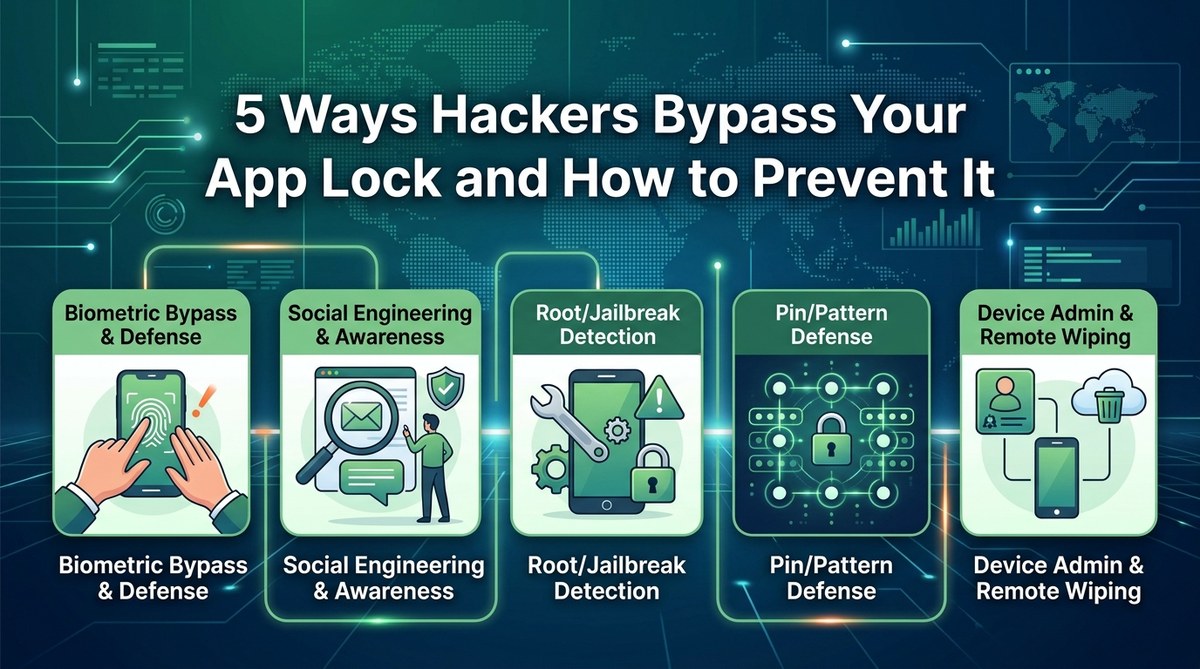
Your app lock feels like a solid wall. But to a determined hacker, it’s more like a flimsy curtain. Attackers have refined their methods over the years, and many popular app lock tools simply cannot keep up. In 2026, the stakes are even higher because our phones hold everything from banking apps to private messages. If you rely on a single PIN or pattern to protect sensitive apps, you might be leaving the back door wide open. Let’s break down the actual techniques attackers use to bypass app locks, and more importantly, how you can fortify your phone against them.
App locks are useful, but they are not invincible. Hackers exploit overlays, accessibility services, debug modes, screen recording, and social tricks to bypass them. You can block most attacks by choosing a lock that uses biometrics, disabling developer options, granting minimal accessibility permissions, and staying aware of shoulder surfing. A layered defense is your best bet against these threats.
The Reality of App Lock Vulnerabilities
Most people think that slapping a pattern or a four-digit PIN on your social media app is enough. Unfortunately, modern malware and sneaky human tactics have made that assumption dangerous. A 2026 study from mobile security firm Zimperium revealed that over 60% of popular app lock apps on the Play Store can be bypassed within minutes by a moderate attacker. The problem is not that app locks are useless; it is that they are often implemented poorly or rely on permissions that can be hijacked.
Attackers have a handful of go-to methods. Understanding each one helps you see exactly where the weak points are.
Top 5 Ways Hackers Bypass App Locks
1. Overlay Attacks
Overlay attacks are one of the most common techniques. A malicious app draws a fake login screen or a fake lock screen on top of the real one. When you tap on what looks like your app lock, you actually give your credentials to the attacker. This trick works especially well on Android devices where overlay permissions are still widely granted.
How it plays out: You open your banking app. The app lock asks for your PIN again, but it looks slightly off. You enter it. Nothing happens. That is because the overlay has already captured your PIN and sent it to a remote server.
2. Accessibility Service Exploitation
Accessibility services are designed to help users with disabilities interact with their phones. But they also grant powerful system-level access. Malware like Joker and Clast82 has been caught abusing accessibility permissions to read the screen, tap buttons, and even bypass app locks.
If an app you barely use asks for accessibility access, it is a red flag. Once granted, the malware can simulate taps on the app lock’s “forgot password” flow or disable the lock entirely.
3. ADB and Debug Mode Hacks
Android Debug Bridge (ADB) is a developer tool that lets you run commands on your phone from a computer. If USB debugging is enabled and the phone is connected to a computer with ADB access, an attacker can disable the app lock service or uninstall the lock app entirely.
This method is most dangerous for people who buy secondhand phones or plug their devices into public charging stations (juice jacking). Even if your screen is locked, ADB can sometimes bypass the lock if the device is trusted on the computer.
4. Screen Recording and Keylogging
Some malware can record your screen without your knowledge. If you type your pattern or PIN to unlock an app, the recording captures every tap. The attacker then replays the video to see where your finger touched. Similarly, keyloggers can record keystrokes even if the app lock tries to hide the input.
This method is passive. You may never notice anything strange until your private messages appear on a hacker forum.
5. Social Engineering and Shoulder Surfing
Sometimes the easiest way to bypass an app lock is to simply watch you enter it. Shoulder surfing in coffee shops, airports, or crowded trains is still effective. Attackers also use phishing messages that mimic your bank or email provider, tricking you into revealing your app lock PIN as “verification.”
A well placed camera (like in an ATM or a hidden USB charger) can record your lock screen pattern. Never underestimate the low tech attack.
How to Prevent App Lock Bypass (Practical Steps)
Follow these five steps to close the most common loopholes:
-
Choose an app lock that uses biometric authentication (fingerprint or face scan) as the primary method. Biometrics are much harder to steal than a pattern or PIN. Many modern lock apps, including the one discussed on Best App Locking Strategies to Secure Your Private Apps and Files, now support this.
-
Disable USB debugging on your phone. Go to Settings > Developer Options and turn it off unless you are actively building apps. If you never use developer tools, disable Developer Options entirely.
-
Review accessibility permissions regularly. Go to Settings > Accessibility and check which apps have access. Revoke any app that does not need it. Be especially suspicious of flashlight apps, wallpaper apps, or games that ask for accessibility.
-
Keep your app lock app updated. Developers patch known bypass methods. Running an outdated version is like leaving the door unlocked. Enable automatic updates for your lock app.
-
Use a separate, strong password for your app lock’s recovery option. Hackers often bypass locks by resetting the PIN via a weak security question. If your app lock offers a recovery email or password, make it unique and complex.
Common Mistakes That Weaken Your App Lock
| Mistake | Why It Helps Attackers |
|---|---|
| Using a pattern that leaves visible smudges | Attackers can read the pattern from the grease marks on your screen. |
| Granting accessibility to unknown apps | Malware uses accessibility to simulate taps and disable the lock. |
| Connecting to public USB charging stations | Juice jacking can install malware that enables ADB and bypasses the lock. |
| Relying solely on a four digit PIN | Only 10,000 combinations; brute force tools can crack it in minutes. |
| Ignoring app lock app permissions | The lock app itself may request unnecessary permissions that leak data. |
Expert advice from mobile security researcher Dr. Alina Petrova: “The strongest app lock is not the one with the most fancy animations. It is the one that uses biometrics for unlocking, refuses overlay access, and does not rely on a fallback PIN that can be reset via email. Treat your app lock like a vault, not a diary lock.”
Additional Defense Layers
- Use a VPN when on public Wi Fi to prevent man in the middle attacks that could inject malware.
- Install a reputable mobile security app that scans for overlay malware and phishing attempts.
- Enable two factor authentication for your most sensitive apps (banking, email, social media). This way, even if the app lock is bypassed, the attacker still needs a second factor.
- Avoid installing apps from outside the official app stores. Sideloading is a major vector for malware that targets app locks.
- Set your phone to lock itself after a short idle period. A phone left unlocked gives attackers direct access to everything behind the app lock.
For a deeper look at how to structure your entire mobile security, check out Top Strategies to Secure Your Mobile Apps from Hackers. It covers broader protections that complement your app lock.
Stay One Step Ahead of App Lock Bypassers
No single security measure is perfect. But by understanding the specific ways attackers bypass app locks, you can make their job much harder. Use biometrics, lock down your developer options, audit your accessibility settings, and stay skeptical of anything that looks out of place on your screen. A little awareness goes a long way. Your private data is worth the extra few minutes it takes to set up a proper defense.
Remember: the goal is not to make your phone impenetrable. It is to make it harder to break into than the next person’s. Attackers move on when they meet resistance. Build that resistance today.