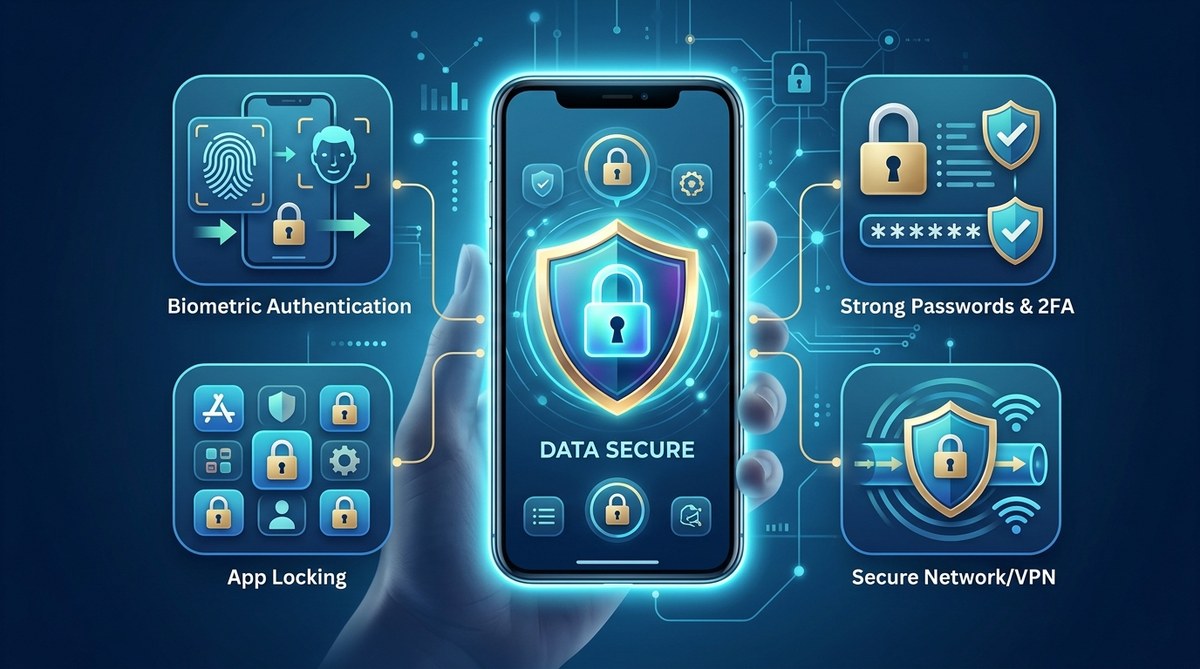
Keeping your personal data safe on mobile devices is more important than ever. With everyone relying on smartphones for banking, shopping, and communication, hackers see these devices as prime targets. A single breach can expose sensitive information, leading to identity theft or financial loss. Fortunately, you can significantly improve your mobile security by following some straightforward strategies. Protecting your personal data doesn’t have to be complicated. With the right habits and tools, you can keep your information private and secure.
Securing personal data on mobile devices involves using strong passwords, enabling security features, updating software regularly, and being cautious with apps and networks. These simple steps make a big difference in protecting your privacy from hackers and data breaches.
How to keep your personal data safe on your mobile device
Every day, your mobile phone holds a wealth of sensitive information. From personal photos and contacts to banking details and work emails, your device is a treasure trove for cybercriminals. Protecting this data requires a proactive approach. Here are practical steps to help you keep your information private and secure.
1. Use strong, unique passwords and enable two-factor authentication
Passwords are your first line of defense against unauthorized access. Avoid common or easily guessed passwords like “123456” or “password.” Instead, create complex combinations that include letters, numbers, and symbols. Consider using a password manager to generate and store unique passwords for each account.
Two-factor authentication (2FA) adds an extra layer of security. Even if someone manages to steal your password, 2FA requires a second verification step — often a code sent to your phone or email. Activating 2FA on your email, banking apps, and social media accounts makes it far harder for hackers to break in. For details on setting up these protections, check out guides on how to secure personal data on mobile devices.
2. Keep your device and apps updated
Software updates aren’t just about new features — they often include patches for security vulnerabilities. Hackers frequently exploit outdated software to gain access to devices. Regularly check for updates for your operating system and installed apps. Enable automatic updates if possible to stay protected without having to remember to check manually.
Also, update your security apps and antivirus tools. These apps can identify and block malicious activities before they cause harm. Remember, outdated apps are a common entry point for malware and phishing attacks.
3. Be cautious with app permissions and downloads
Apps request access to various features — camera, microphone, contacts, location, and more. Be wary of apps that ask for permissions unrelated to their primary function. For example, a simple flashlight app shouldn’t need access to your contacts.
Before downloading any app, verify its legitimacy. Stick to official app stores like Google Play or Apple’s App Store. Check reviews and ratings, and read permissions carefully. Avoid sideloading apps from unknown sources, as they may carry malware designed to steal your data.
4. Use a virtual private network (VPN) when browsing public Wi-Fi
Public Wi-Fi networks are convenient but often insecure. Hackers can intercept data transmitted over these networks, risking your personal information. Using a VPN encrypts your internet traffic, making it unreadable to outsiders.
A reliable VPN service can shield your browsing session, protect your login credentials, and prevent snooping on your device. Consider using a trusted VPN whenever you connect to unfamiliar Wi-Fi networks, especially for banking or shopping.
5. Enable device security features like biometric authentication and remote wipe
Most smartphones now support fingerprint scans or facial recognition. Enabling these features makes it faster and more secure to unlock your device. They also add an extra barrier if someone tries to access your phone without permission.
In addition, activate remote wipe capabilities. If your device gets lost or stolen, you can erase all data remotely to prevent unauthorized access. Apple’s Find My iPhone and Android’s Find My Device are excellent tools for this purpose.
6. Regularly back up your data
Backup protects you from data loss due to theft, damage, or malware. Cloud services like Google Drive or iCloud automatically sync your important files, photos, and contacts. Make sure your backups are up to date.
Regular backups also help in restoring your information if your device is compromised and needs to be reset. This way, even if your personal data is at risk, you can recover quickly and minimize damage.
Common pitfalls to avoid when securing mobile data
| Mistake | Explanation | Better practice |
|---|---|---|
| Using weak passwords | Easy-to-guess passwords can be cracked by hackers. | Use complex, unique passwords for each account. |
| Ignoring updates | Outdated software has security flaws. | Enable automatic updates for OS and apps. |
| Downloading from untrusted sources | Malicious apps can steal data. | Stick to official app stores and verify reviews. |
| Connecting to insecure Wi-Fi | Public networks can be compromised. | Use a VPN and avoid sensitive transactions on public Wi-Fi. |
| Neglecting device lock features | Leaving your device unlocked invites theft. | Use biometrics or PINs for quick access. |
Expert tip: Stay vigilant with app permissions
“Always review app permissions before installation and periodically check which apps have access to sensitive data. Limiting permissions reduces the risk of data leaks.” — cybersecurity specialist
How to avoid common mistakes when protecting your mobile data
Even with good habits, mistakes happen. Recognizing common pitfalls can help you avoid exposure. Here are some frequent errors and how to sidestep them:
- Reusing passwords across multiple accounts. Use a password manager to generate and store unique passwords.
- Ignoring software updates. Set devices to update automatically to close security gaps.
- Falling for phishing scams. Be suspicious of unsolicited messages asking for personal information or links.
- Leaving Bluetooth or NFC enabled in public. Turn these off when not in use to prevent unauthorized access.
- Not activating device tracking features. Enable Find My iPhone or Android’s device locator to recover lost devices or wipe data if needed.
Simple steps to strengthen your mobile privacy today
Protecting your personal data on mobile devices doesn’t need to be complicated. Follow these straightforward steps to make your device more secure:
- Create strong, unique passwords for all accounts and enable two-factor authentication.
- Keep your device’s software and apps updated regularly.
- Be cautious when granting app permissions and only download from trusted sources.
- Use a VPN when connected to public Wi-Fi networks.
- Enable biometric locks and remote wipe features.
- Back up your data regularly to cloud services.
By committing to these habits, you reduce the risk of data breaches and keep your personal information safe. Remember, staying vigilant is your best defense.
Keeping your privacy protected on the go
Your mobile device is an extension of your identity. Protecting it from threats starts with small, consistent actions. Whether you’re at home, at work, or traveling, these habits help ensure your personal data stays private.
Think of security as a shield that grows stronger with each proactive step. Regularly review your device’s security settings, stay informed about new threats, and don’t hesitate to update your habits as needed. The effort you put in today can save you from serious trouble tomorrow.
Secure your digital life by taking these simple, effective measures. Your privacy deserves it.
Remember: Personal data security is an ongoing process. Stay aware, stay protected, and keep your mobile safe from prying eyes.